Life Calendar App: Weeks, Notes, Moods and Tags
A life calendar app maps life as weeks and lets you add notes, images, moods, and tags to each box. See the grid, the records, and the limits.
In this article
- How the Week Grid Turns a Life into Boxes
- From your birthday to the current box
- The week-start setting matters
- Notes Images Moods and Tags
- Separate the event from the feeling
- Make the record easy to recognize
- Three Weeks Written Out
- The move and the quiet recovery
- The trip and the later review
- Why Weeks Outlast Memory
- A story and its date are different records
- Revisiting is different from merely storing
- When the Overview Should Pause
- Look beyond larger text
- Separate recording from reviewing
- Privacy, Export and Deletion Checks
- Check the full data lifecycle
- Read policy statements precisely
- Record This Week and Keep a Copy
- Keep the first session small
About 3,820 weeks is the weekly equivalent of the global life expectancy at birth of 73.3 years in 2023, reported by the World Health Organization. That's a population average, not a prediction of your lifespan. But it makes the idea behind a life calendar app concrete: instead of an abstract stretch of years, you see individual periods you can recognize, describe, and revisit.
The useful part isn't counting down. It's attaching something meaningful to a real date range, so you can later find the week you moved, recovered, traveled, or noticed something worth keeping.
How the Week Grid Turns a Life into Boxes
Years converted to weeks
| Span | Years | Approximate weeks |
|---|---|---|
| One year | 1 | 52 |
| Age 70 | 70 | 3,640 |
| Age 90 | 90 | 4,680 |
| Healthy life expectancy, WHO 2023 | 62.8 | 3,270 |
| Global life expectancy at birth, WHO 2023 | 73.3 | 3,820 |
| Global life expectancy at birth, WHO 2019 | 73.4 | 3,830 |
| Gain from 1950 to 2019 | 26.5 | 1,380 |
The common-span rows use a simple approximation of weeks per year. The WHO conversions use a closer calendar-year approximation, so the table is a scale guide, not a way to calculate your current box. The WHO figures describe populations, and healthy life expectancy means average years lived in good health, not a personal deadline for illness.
A life calendar app represents your life as a grid with a box for each week. Unlike a blank diary page, it gives every entry a place before you write anything. Unlike a daily planner, it isn't primarily about appointments or deadlines.
Life Calendar was inspired by Tim Urban's post Your Life in Weeks. Our app uses your birthday to generate that weekly map, then lets you attach records to individual boxes.
From your birthday to the current box
The setup follows a straightforward sequence:
- Enter your birthday. This establishes the starting point for your personal timeline.
- Let the app generate the grid. Each box represents a week of your life.
- Find the current-week pointer. By default, it marks your present position, with past and future visible around it.
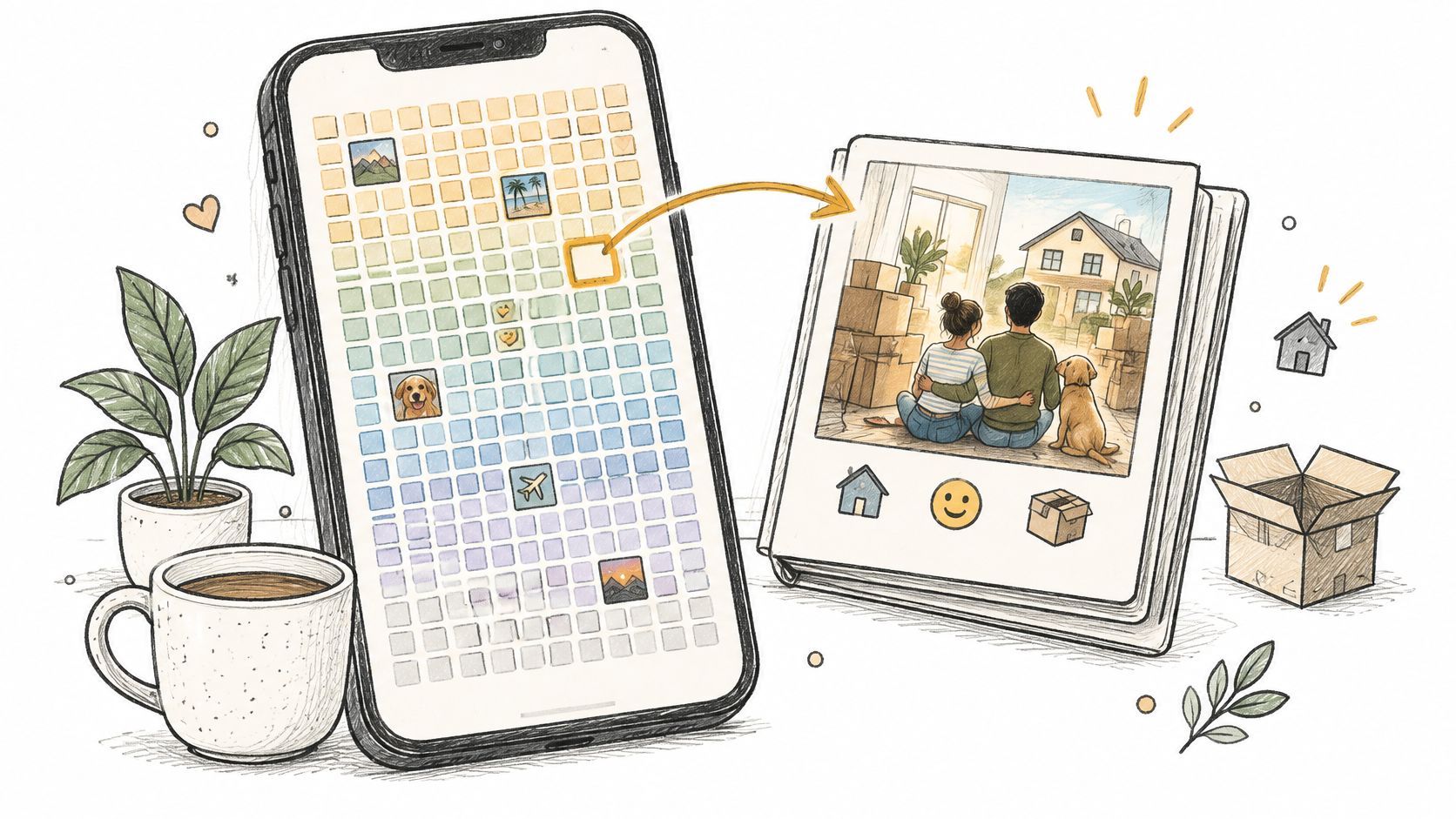
Think of the grid as postage stamps arranged in rows. From a distance, you can see the arrangement. Open a particular stamp-sized box, and you can inspect the record attached to it.
Our weekly view shows all weeks in a single grid. It suits broad orientation: where you are on the map and which stretches contain records. The yearly view breaks weeks into years, making it easier to locate an age or inspect a smaller period without taking in the whole timeline.
Neither view gives every experience equal emotional weight. A difficult afternoon and a long-awaited celebration may belong to the same box. The box provides an address, not a complete account of what happened.
The week-start setting matters
The main setup surprise is where a week begins. By default, our week starts depend on your birthday, so for most users the start day changes from year to year. Don't assume a box automatically means Monday through Sunday.
If aligned weeks suit you better, choose a fixed day under Settings > Grid Appearance > Week Start. Monday is a practical choice if you already think of your personal week that way. Check the displayed date range before adding a memory, especially when an event happened near a boundary.
Practical rule: Trust the box's date range, not its position in a row.
The grid doesn't schedule meetings, and a future box isn't an obligation to create a noteworthy experience. An empty box is a period without a record. It isn't evidence of a failed week, an uneventful life, or time used badly.
Notes Images Moods and Tags
A week's record can combine words, images, a mood, a tag, and a color. Each gives you a different way to recognize the period later. You can use only the details that help.
| Record | What it stores | Use it when | How you find it later |
|---|---|---|---|
| Note or card | Events, thoughts, or other text for that week | You need the story in words | Open the week and read the card |
| Image | A photo kept with that week | The look of the week matters | Open the week and view the picture |
| Mood | How the week felt | The feeling is separate from the events | Check the mood on each week |
| Tag | A short label such as family, travel, or health | You want a label for similar weeks | Look for the tag label on each week |
| Color | A mark on the week box | You want a pattern visible on the whole grid | Scan the grid without opening weeks |
The week's date range provides an address for the record, like a folder marked with a real span of time. A card, image, mood, tag, or color can then act as a retrieval cue. A box holds pointers to an experience, not every detail of it.
A note in Life Calendar is called a card. Use it to record the detail that makes the week recognizable: a person, place, or reason an event mattered. Collected the keys and ate dinner sitting on the kitchen floor gives you more to recall than Busy week.
An image can preserve something that is hard to describe, such as a kitchen halfway through a move or the view from a train. Choose a picture for the detail it contains. You don't need to add one to every week.
Separate the event from the feeling
A mood describes how the period felt, not just what happened. A successful move might feel exhausting; a quiet week might feel contented. Checking the mood on the week keeps that emotional cue beside the event.
Tags provide another kind of label. Use a consistent word such as home, health, or travel to mark what you may want to recognize across different weeks. The label can help you spot related records, but you'll need to look at the week itself; a tag does not promise a separate filter.
Color works at a glance. It can make a marked week easier to spot on the grid, but it cannot explain the story or capture every mixed feeling.
Make the record easy to recognize
The goal is a cue your later self can understand without having to solve a puzzle. A few specific words, a relevant image, or a clear label can point back to the week's date range. More fields do not automatically make a record more useful.
If starting feels difficult, keep the record small:
- Write one recognizable detail. A sentence about what happened or occupied your thoughts can be enough.
- Add an image if it helps. Leave it out when you don't have one.
- Choose a mood that fits your experience. It doesn't need to match someone else's judgment of the event.
- Add a tag only when its label will make sense later. Keep similar labels consistent.
Pro users can add an unlimited number of cards to each week. Multiple cards can keep separate stories readable when a period was full, while a single card may be enough for a quieter week.
Three Weeks Written Out
Say you're recording a move, a recovery period, and a short trip. Each belongs to its own displayed date range, but each needs a different amount of detail.
The move and the quiet recovery
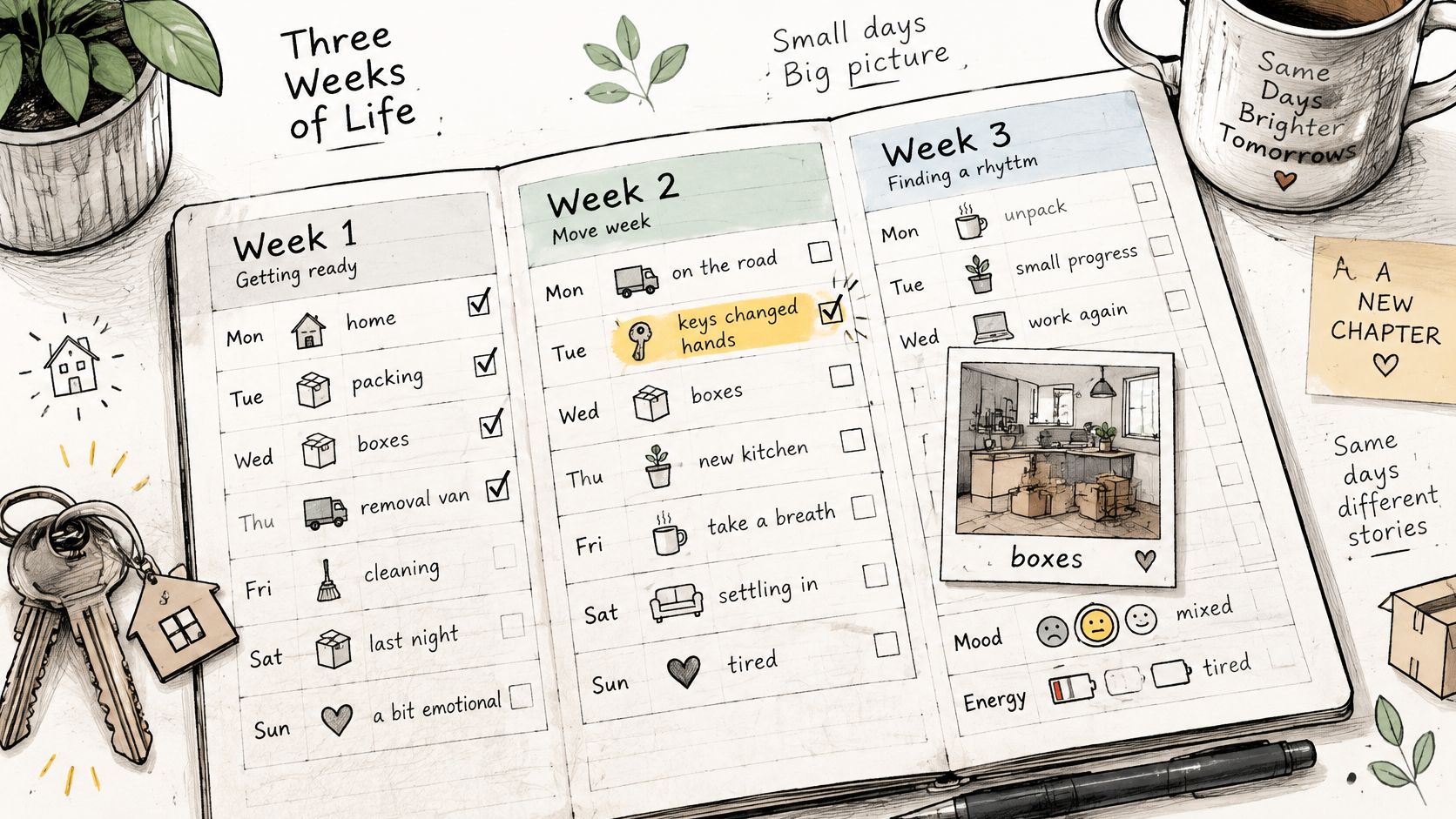
For the house move, add a card describing the handover: you collected the keys, found the missing kettle, and ate a takeaway dinner before unpacking. Attach a photo of boxes in the new kitchen. Choose a tired or mixed mood, add the tag home, and mark the box with a distinct color.
The card doesn't need an inventory of every task. The keys, kettle, and kitchen give you specific details to recognize. If the exact handover day matters, include it in the text rather than expecting the weekly box to supply that precision.
For the recovery week, write a short account: you stayed home, rested, and began feeling ready for a brief walk. Select a low-energy mood and the tag health. Leave the image empty.
That's a valid record. You don't need to photograph a vulnerable period or make it visually interesting for it to deserve a place in your archive.
The trip and the later review
For the short trip, name who went and the place you stayed. Add a photo with a recognizable detail, select a bright mood if that fits, and use travel. Describe the moment you'd want to remember, perhaps getting caught in the rain together, rather than copying an itinerary.
In the yearly view, these records sit in sequence: a marked move, a sparse recovery, and a trip. If you later want to gather travel records, the label gives you a starting point without requiring you to remember the month.
A sparse week can be an accurate record. Completeness isn't the same as usefulness.
You can also try a gentle, manual photo-review habit. Once a month, open an image and name where it was taken or who was present. Add a detail only if you want to preserve it.
A Scientific Reports experiment involving older adults found that participants recalled more episodic details for lifelog photographs that had received prior retrieval practice than for those that hadn't. That supports trying photo-based recollection, not promising that every picture will help equally.
This is a habit you can perform yourself, not a claim that the app automatically resurfaces memories. Skip it when reviewing feels intrusive or tiring. A useful rule of thumb is to record an unusual week when it ends, while letting ordinary weeks remain a color, a mood, or nothing at all.
Why Weeks Outlast Memory
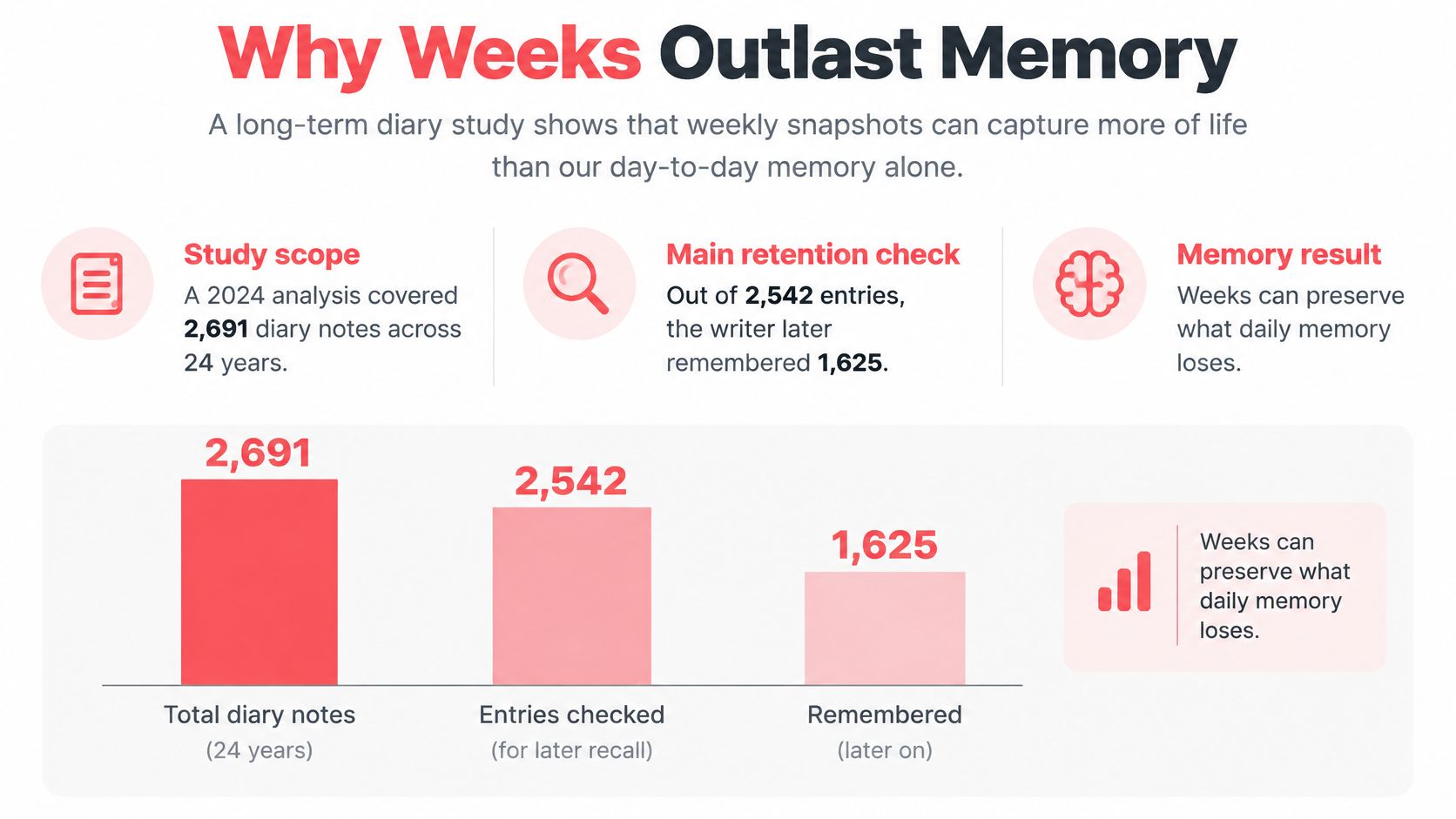
In a 2024 diary-based autobiographical-memory study, the writer later remembered 63.9% of entries in the main retention analysis, while only 2% of described events were dated correctly. The analysis covered 2,691 diary notes across 24 years; the main retention check included 2,542 entries, of which 1,625 were remembered.
Those findings concern a particular long-term diary record, not a forecast of your own recall. They nevertheless illustrate an important distinction: remembering that something happened and remembering when it happened are different tasks.
A story and its date are different records
You might remember a conversation clearly but place it before a move when it happened afterward. A familiar room, a recurring holiday, or a similar work project can make periods difficult to distinguish.
A freeform journal can preserve a story perfectly well. If its entries are dated consistently, it also preserves chronology. The advantage of a weekly calendar isn't that other journals lack dates, but that the date range is already part of the place where you write.
That reduces a practical task at entry time. Instead of inventing a title and deciding where a memory belongs in a folder system, you open the relevant period and add the detail.
The boundary still matters. If you enter an old memory into the wrong box, the interface won't make it accurate. When you're unsure, write that uncertainty explicitly rather than turning a guess into a confident date.
Revisiting is different from merely storing
The diary study identified rehearsal as the strongest predictor of both remembering an event and dating it accurately. In everyday use, rehearsal can be modest: opening a saved card, checking an image, or reading through a manageable part of a year.
You don't have to test yourself or turn your archive into homework. The purpose is to encounter a useful cue again, with enough context to understand it.
- For a diary habit, read the current record before adding a related thought.
- For personal perspective, choose a period you're curious about rather than automatically reviewing everything.
- For uncertain recollections, keep what you know separate from what you infer.
Some people use our app as a personal diary; others use it to keep their past and future in perspective. Those are different purposes, and neither requires exhaustive documentation.
A saved record doesn't guarantee that you'll remember the event independently. A mood tag isn't a clinical measure, either. The record is a pointer back to a period you lived, with whatever detail you chose to retain.
When the Overview Should Pause
A dense visual grid can leave out people who use screen reader, keyboard, switch controls, or a simpler list. In a 2025 pan-disability mobile-app survey, 46.4% of respondents identified complicated layout or navigation as the largest obstacle. A whole-life view isn't automatically a usable view.
Look beyond larger text
An accessible weekly interface needs meaningful labels for individual weeks, predictable navigation, and a way to reach records without relying on tiny boxes. These are criteria to check, not features to assume every app provides.
- Readable week labels should communicate the date range and whether a record exists.
- Alternative navigation should support keyboard or switch access and a non-grid route.
- Independent mood labels should remain understandable without color.
- Flexible entry and media should allow short input, voice where available, and captions or transcripts where needed.
Try the actual recording workflow with your preferred accessibility tools before committing a large archive. A screen that looks clear in a screenshot may still be awkward to use.
Separate recording from reviewing
You can document this week without revisiting your whole past. Grief, trauma, depression, cognitive impairment, or a difficult period are reasons to choose a narrower view, not reasons to keep scrolling until it feels productive.
You're allowed to keep a record without being ready to review it.
Set a boundary before opening older entries. Choose a year or a particular event, skip periods you don't want to revisit, and stop when the review becomes distressing. If an app offers hiding, gentle prompts, or retrospective summaries, check that you can control or pause them.
Support-person access should be your choice, with a clear understanding of what that person can see. Someone helping you manage things doesn't automatically need access to every private note.
A whole-life grid is an optional perspective, not the required destination of journaling. If the overview leaves you comparing, regretting, or feeling pressured, return to the current record or close the app. You can decide later whether another review would serve you.
Privacy, Export and Deletion Checks
Private doesn't necessarily mean portable. Your archive may contain health information, relationships, places, and emotional states, so evaluate what happens to it beyond the recording screen.
Work on LLM-based journaling recommends granular consent and transparent limitations. If you consider automated interpretation or photo prompts, require a clear choice about what gets processed and shared rather than treating participation as automatic.
Check the full data lifecycle
- Ownership. Read the terms covering your notes and images. Establish what rights you retain and what permissions you grant the service.
- Encryption. Distinguish end-to-end encryption from encryption in transit and at rest. We aren't establishing an end-to-end encryption guarantee here; check the current privacy policy directly.
- Export. Test whether you can retrieve readable text and original images, not merely a visual overview. In our app, you can export a calendar copy from the Weeks view by zooming out and selecting Share in the navigation bar.
- Deletion. Ask what happens to cloud copies, backups, analytics records, and any derived mood insights. Check retention and account-recovery conditions, including what happens if the service closes.
A calendar copy and a complete archive aren't necessarily the same thing. Open the exported file outside the app and inspect what it contains before relying on it as your only backup.
Read policy statements precisely
We don't use cookies for tracking purposes. We don't sell, trade, or transfer personally identifiable information to outside parties unless users receive advance notice.
Those statements aren't a security audit or a blanket promise that no processing occurs. For unresolved privacy questions, email support@lifecal.me, and keep the reply with your own records.
Record This Week and Keep a Copy
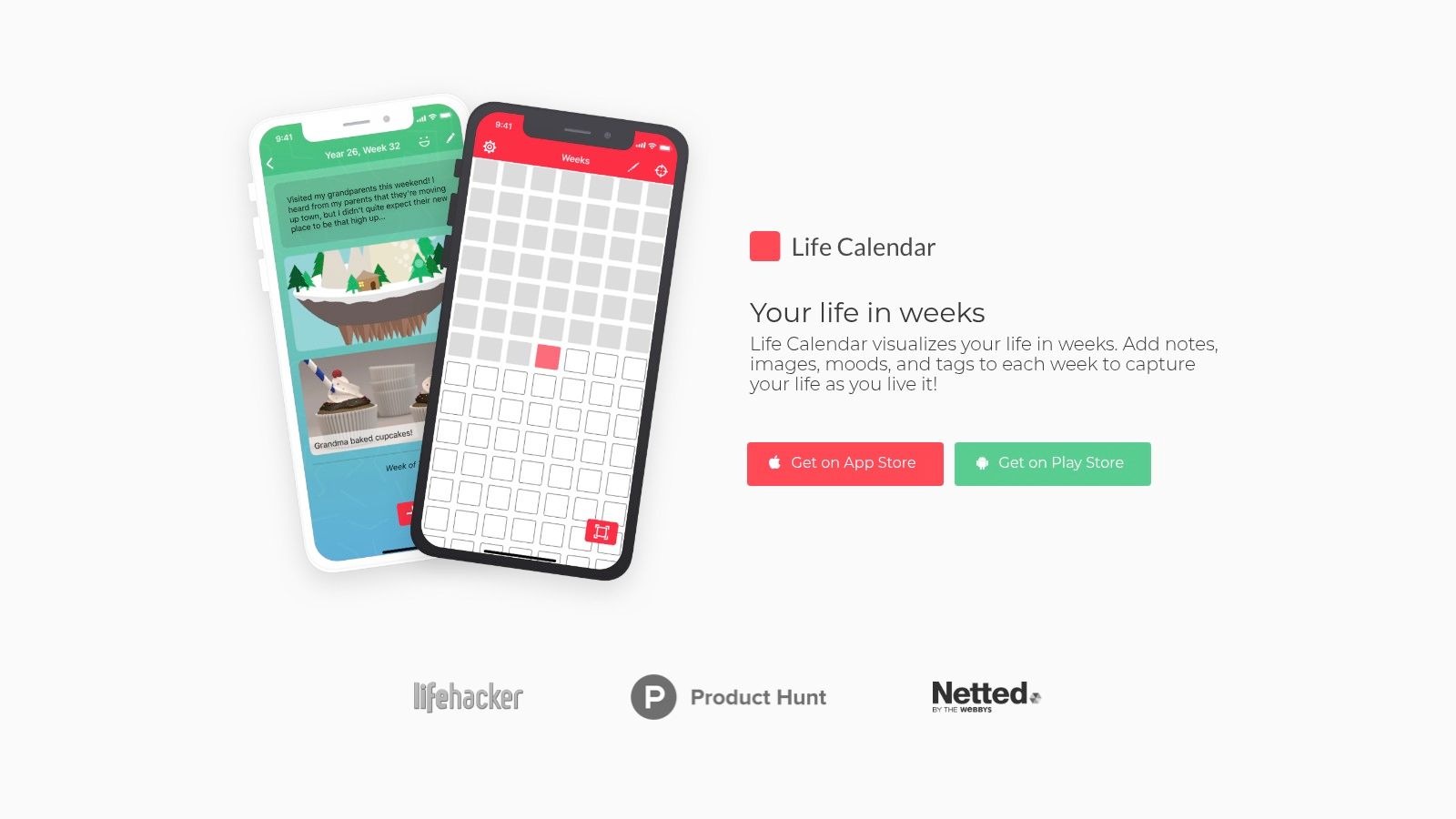
Our app is available on the App Store and Play Store. The major update is available on iOS, while the Android update remains in development, so the older Android version may lack newer features. A web client is also in development and isn't released; start on your phone.
Keep the first session small
- Install and enter your birthday to generate your grid.
- Find the current-week pointer and check the displayed date range.
- Add a card about something you want to retain. Include other details only if you already have them.
- Choose an optional reminder under Settings > Reminders. You can set multiple reminders for different days and times.
- Save a calendar copy from Weeks by zooming out and choosing Share in the navigation bar.
Try recording the present for a few weeks before filling in the past. You'll learn whether the routine fits without turning setup into a lengthy reconstruction project.
For more weekly-recording ideas, visit our journaling guides. Keep your first saved copy somewhere you can find it, and confirm that it opens outside the app.
Life Calendar offers a weekly life overview with space for notes, images, moods, tags, and colors. Visit Life Calendar to explore the sample and download options, then record this week and save a copy you can inspect outside the app.
Created with Outrank tool