10 Best Free Journal Apps for 2026: Limits Compared
Compare the best free journal apps by what their free plans actually include, where limits kick in, and which features need a paid upgrade.

In this article
You start a journal in January with the free version of an app, and for six weeks it's perfect. Three lines a night, a photo on Sundays, a mood tap when you can't find words. Then March arrives. You try to attach four pictures from a weekend trip and the app lets you keep one. You open the same journal on your tablet and yesterday's entry isn't there. You go looking for an export button and find it sitting behind a subscription.
The app isn't broken. You picked a free plan whose cap doesn't match how you write. That's the question worth asking about the best free journal apps: not "is it free," but which limit will I hit first. Photo people hit attachment caps. Multi-device people hit sync caps. Long-form writers almost never hit an entry cap, but they get caught by export and locking gates years later, when moving out is expensive.
The economics explain why every journal app works this way. Free access is the front door, and the paid tier is where the business sits, so the limits aren't accidents. They're placed exactly where a habit turns into a need. Storage fills. A second device gets added. An archive becomes worth keeping.
So judge each app by its ceiling. Life Calendar, for instance, lets free users add up to three cards to each week, which decides how much a single weekly record can hold. If you're building prompts for clients rather than yourself, a guided journal template for coaches solves a different problem than any app on this list.
1. Life Calendar
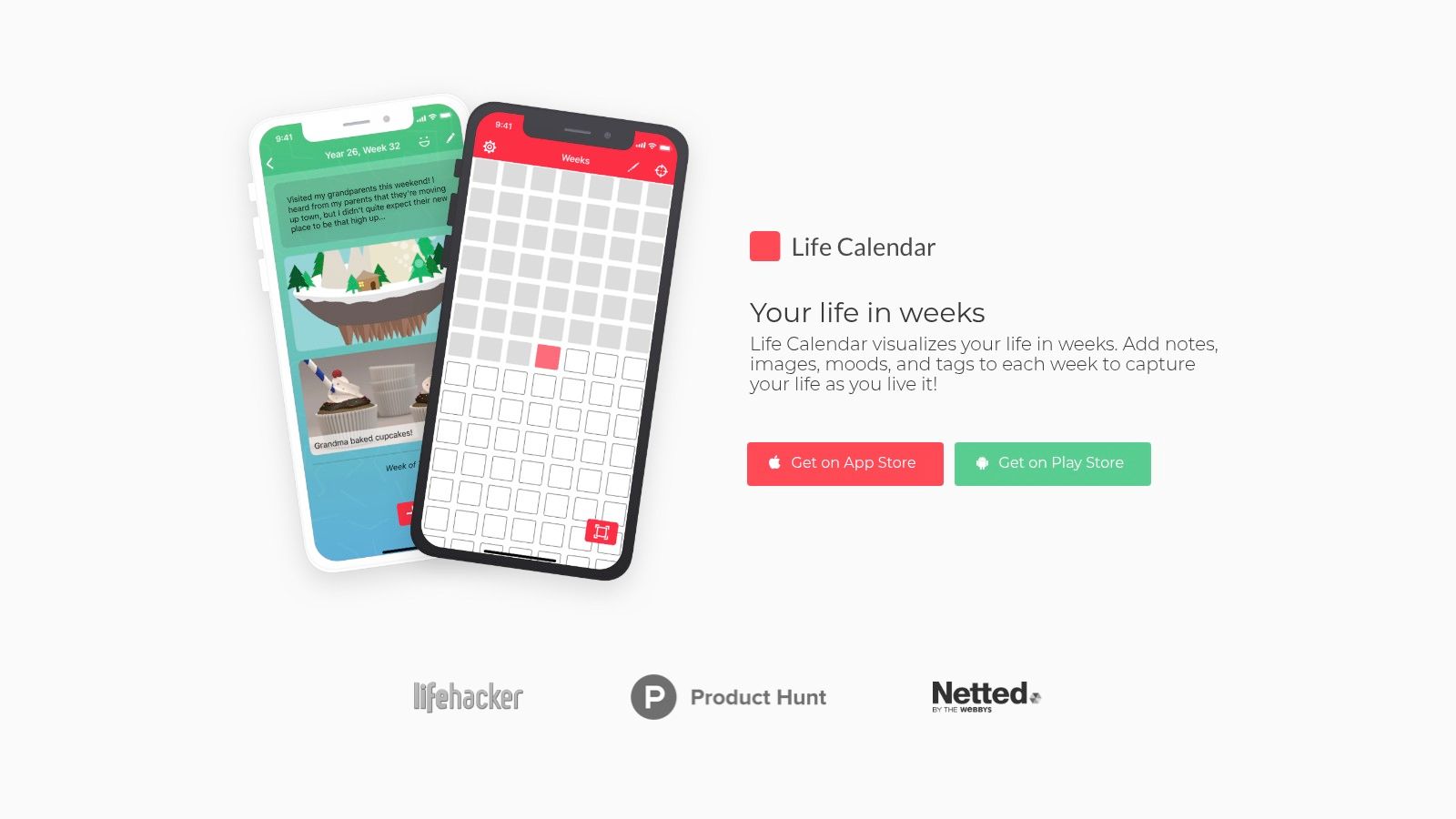
Most journals stack entries. Ours starts with your birthday and draws a grid of your life in weeks, one box per week, with a pointer marking where you are right now. You mark a week with a color, then add cards to it: notes, images, mood, tags. Each note is a card, and the free card allowance per week is the cap you'll feel first.
Who hits the weekly cap first
If you want a paragraph per day, you'll fight the structure by February. A week is a container, not a page, and three cards means choosing what represents seven days. What works is treating one card as the week's headline, one as an image, one as a mood note. What doesn't work is importing a daily writing habit into it and expecting 52 weeks to behave like a daily entry log.
That low-effort weekly unit is a deliberate bet on consistency. In a longitudinal study of 1,439 users of a mobile personal-record app published in PLOS ONE, regular self-monitors had an estimated 80% probability of continued use after 40 weeks, against roughly 60% for non-regular users.
A few things to know before you commit:
- Card types: Premium adds card types such as image and video cards alongside notes, and Pro removes the weekly card cap entirely.
- Getting your record out: export notes as a text file from Settings > Export Notes, and export a copy of the grid from the Weeks view by zooming out and tapping Share in the navigation bar. Exported notes can't be imported back.
- Platforms: we're on the App Store and Play Store, the major update is live on iOS, and Android users currently get the older version while the update is in development. A web client for typing on a computer is still being built.
Practical rule: pick the app whose smallest possible entry you'd still bother making on your worst week.
2. Day One
The free plan here is generous where it counts for writers and tight where it counts for photographers. You get unlimited text entries and multiple journals, plus calendar browsing, search, filters, tags, and "On This Day" resurfacing. Daily prompts, templates, and reminders are in. End-to-end encryption and entry locking are in too, which is unusual for a free tier.
The cap is media and devices. Free entries take one photo per entry, and some cross-device and advanced media features sit on the paid plan.
Say you're documenting a kitchen renovation. One photo per entry is fine if you write daily and pick the single best shot. It's miserable if you write once a week and want the before, during, and after in one place. You'll start splitting one event across three entries just to hold the pictures, and your timeline stops matching your memory.
Who hits the wall first:
- Photo-first journalers: immediately, on the first multi-image event.
- Phone plus tablet writers: as soon as they expect the second device to stay current.
- Pure text writers: possibly never, which makes this one of the strongest free archives available.
I'd recommend it to anyone whose journal is mostly sentences. Test the one-photo rule against a real weekend before you build a year of entries around it, because retrofitting a media habit later means either paying or restructuring how you write.
3. Apple Journal
There's no subscription here at all, which changes the shape of the comparison. Every other app on this list has a ceiling you can pay to lift. This one has a ceiling you can't: it's Apple-only, so an Android phone in your household ends the conversation.
Entries combine text with photos, video, audio, locations, and state-of-mind details, and suggestions pull from your everyday moments and activities to give you something to write about. Multiple journals, journaling goals, streaks, and insights are included, and iCloud sync keeps things aligned across supported Apple devices.
The trade-off isn't a paywall, it's an ecosystem boundary. Suggestions work best when your photos, workouts, and calendar already live on Apple devices, and syncing stops at the edge of that world. If you write on a work Windows laptop, you'll be retyping or going without.
A free app with no paid tier still has a hard limit. Here it's the logo on the back of your phone.
Check export before you write anything long. Platform-locked journals are the hardest to move, and the day you switch to Android is the day you find out whether your entries come with you in a readable form or stay behind as files you can't open. For an iPhone-and-Mac household that isn't planning to leave, it's the least complicated free option going.
4. Diarium
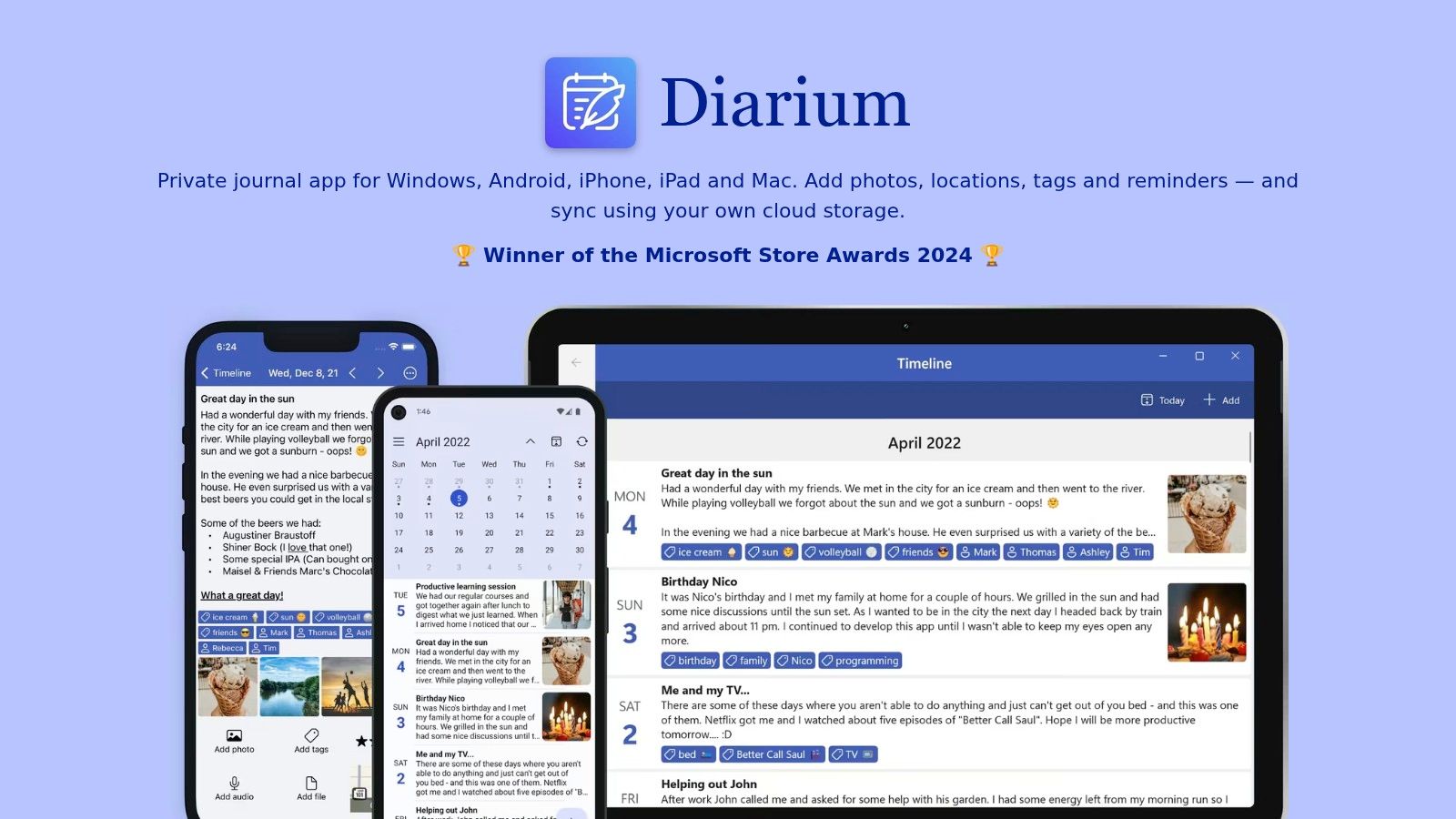
Diarium is date-centered: you pick a day, then fill it. Notes, tags, locations, mood ratings, and attachments all hang off that date, and you browse the whole thing through a timeline or a calendar. Optional connections pull in calendars, weather, health data, and other activity sources, so a day can partly write itself.
The free version allows one attachment per entry. Pro adds syncing, expanded attachments, exports, widgets, and integrations, and it's sold as a one-time purchase per platform.
That per-platform detail is the part people miss. Paying once on your phone doesn't give you access on your desktop, so a two-device setup means two purchases. Budget for every platform you write on before deciding this is the cheap option.
Where the free plan stops being useful:
- Attachment-heavy days: one file per date means a photo or a voice memo, not both.
- Anyone with two devices: sync is a Pro feature, so free use is effectively single-device.
- Migration planners: some exports need Pro, which matters most on the day you want to leave.
The import tools are the underrated feature. Diarium can pull in journals from several other apps, which makes it a sensible landing spot if you're escaping a tool that's about to change pricing. Test the import with a real multi-month archive, not a two-entry sample, and check that dates and attachments survived the trip.
5. Daylio
Some nights you don't have a paragraph in you. Daylio is built for those nights: tap a mood, tap the activities that filled the day, add a note only if you want one. Charts roll the taps up into weekly, monthly, and yearly views, including "Year in Pixels," and reminders, goals, and habit tracking sit alongside.
The basic app is free. Advanced statistics and expanded customization are paid, so the cap you hit is analytical rather than creative: you can keep logging indefinitely, but the deeper cuts through your own history cost money.
Structured self-recording of this kind has more behind it than habit advice. A 2022 systematic review and meta-analysis in PMC screened 3,797 articles and pooled 20 randomized controlled trials, finding an average statistically significant 5% reduction in patient scores on mental-health measures versus controls, with anxiety outcomes improving about 9%. Those interventions varied in design and clinical setting, so don't read them as a promise about any one app. They do explain why mood data belongs next to your notes.
If you're weighing tap-based logging against written entries, our mood tracking app comparison covers that trade-off in more detail.
Who should skip it: anyone whose journal is meant to be read back as prose. A grid of colored days tells you the shape of a month, not what happened in it. Pair it with a written app, or accept that you're keeping a signal log rather than a memory archive.
6. Journey
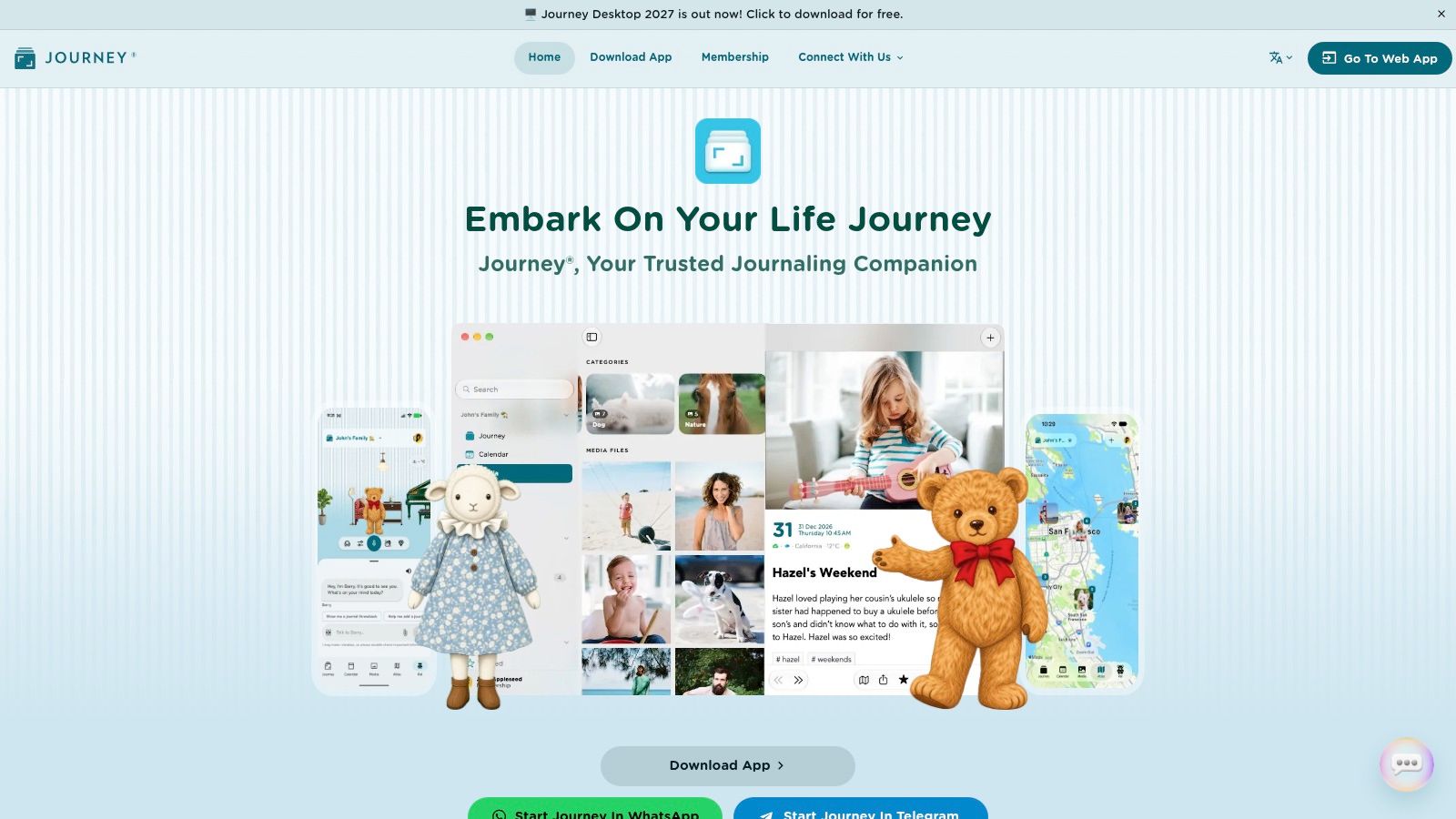
Journey's appeal is reach: mobile, desktop, and web, with entries browsable by timeline, calendar, map, and photos. Text, tags, moods, and media go into an entry, and the map view is useful if your memories are tied to places rather than dates.
The free option is where it gets complicated. Cloud sync has a limited free allowance, and some media, export, formatting, and cross-platform features need a paid license or membership. There are two different paid shapes here, a per-platform license and an account-wide membership, and choosing the wrong one is an easy way to pay twice.
Portability deserves more scrutiny than it usually gets. A comparison at Daily Tech Hub found that some apps allow export during free use while others put it behind a paid plan or fail to preserve the full entry structure, and noted that ePub export is rare. "Export available" on a feature list tells you almost nothing about whether your chronology, attachments, tags, and moods survive the download.
Run the whole migration before you commit:
- Export a multi-month journal, not a test entry.
- Open it without the original app installed.
- Check dates and media line up, then import it somewhere else.
If your journal is mostly pictures, the attachment and storage rules matter more than the editor, and our guide to keeping a diary with photos walks through what to check.
7. Penzu
Penzu is a private online diary with mobile apps and real browser access, which makes it the pick for people who write at a desk. The free Basic plan includes unlimited entries, basic journal covers and fonts, and simple reminders. Tagging, PDF export, customization, and additional locking options are paid.
That last group is the one to read twice. Security features differ between plans, so "private diary" doesn't tell you which protections you get without paying.
Free status and privacy are separate questions, and most rankings blur them. Coverage at RytePad points out that some apps offer end-to-end encryption by default while others provide only transport encryption or reserve stronger controls for paid tiers, and recommends checking storage, synchronization, encryption, account requirements, and data-sharing practices.
The question that matters: can you still read and move your complete journal years later if you stop paying or leave the platform?
A device lock and end-to-end encryption solve different problems. One stops someone holding your phone after it's been opened. The other stops the vendor's servers from reading your entries. Decide which threat you're defending against, then check whether your free plan covers it.
For a text-only writer who wants a browser tab and unlimited entries, the free tier holds up for years. For anyone who needs tagging to find things or PDF export to keep an offline copy, the useful plan is the paid one, and you should price that in from the start rather than discovering it after a few hundred entries.
8. Grid Diary
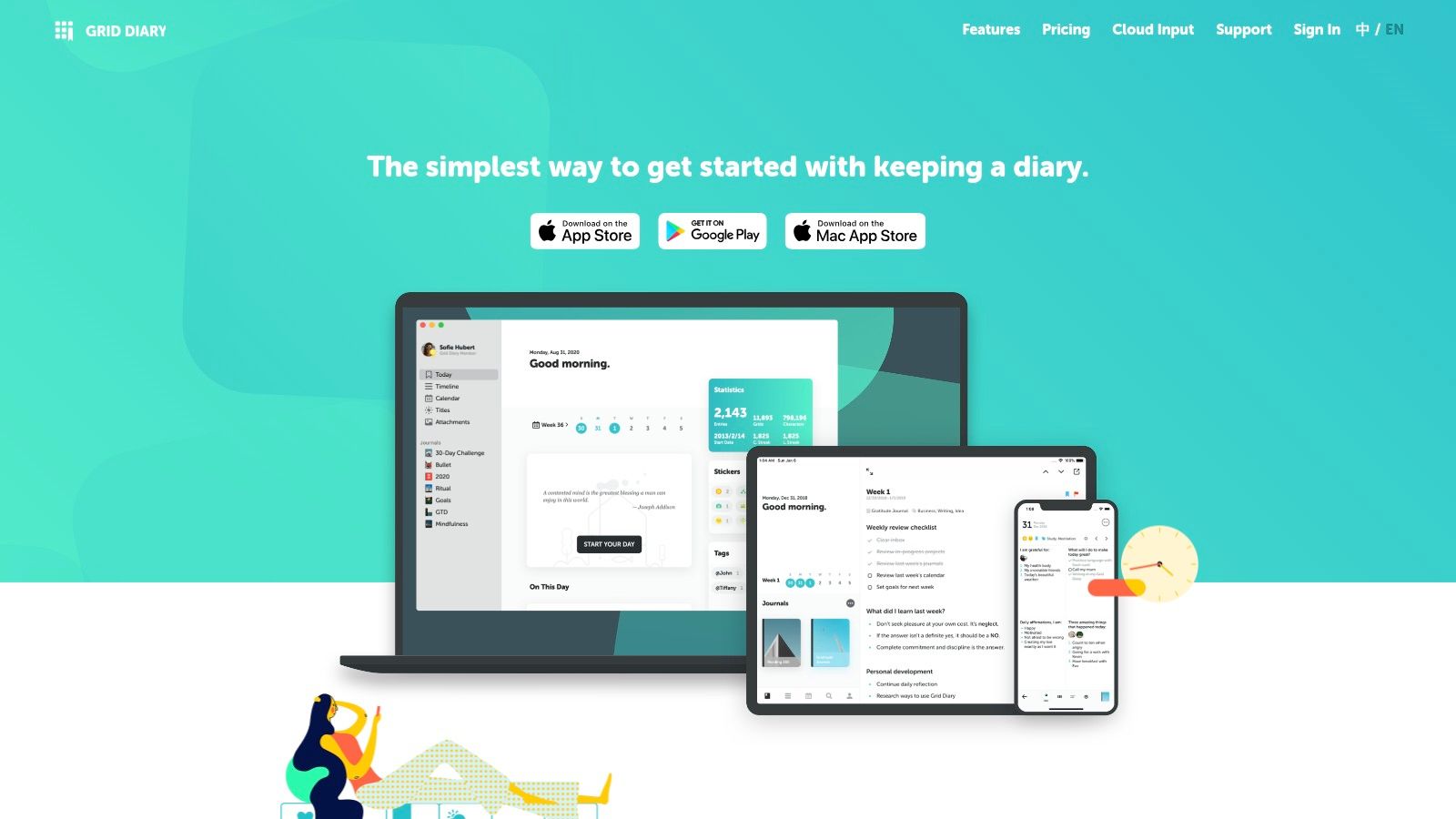
Instead of a blank page, you get a grid of recurring questions you answer each day. Tags, stickers, photos, dark theme, reminders, and multiple export formats are available, and the structure is the point: you never sit wondering what to write.
Membership adds cross-device sync and passcode lock. Read that again, because it's an unusual gate. Most apps treat a lock as table stakes and charge for storage or media. Here, the convenience of two devices and the basic privacy of an app lock are the upgrade.
That makes the free plan a single-device, open journal. Fine if your phone never leaves your hand and nobody else picks it up. Not fine if you share a tablet with a partner or want to write on a laptop at lunch.
The other limit isn't financial. A prompt grid is a poor home for a long rant about a bad meeting. You'll either truncate the thought to fit a box or abandon the grid, and the second one usually ends the habit.
- Best fit: people who want a repeatable reflection routine with the same questions every day.
- Poor fit: freeform writers, and anyone who needs a lock without paying.
I'd start here if blank pages have killed your journaling attempts before. Just decide up front whether passcode protection is something you need, because that single requirement moves you to the paid tier immediately.
9. Diaro
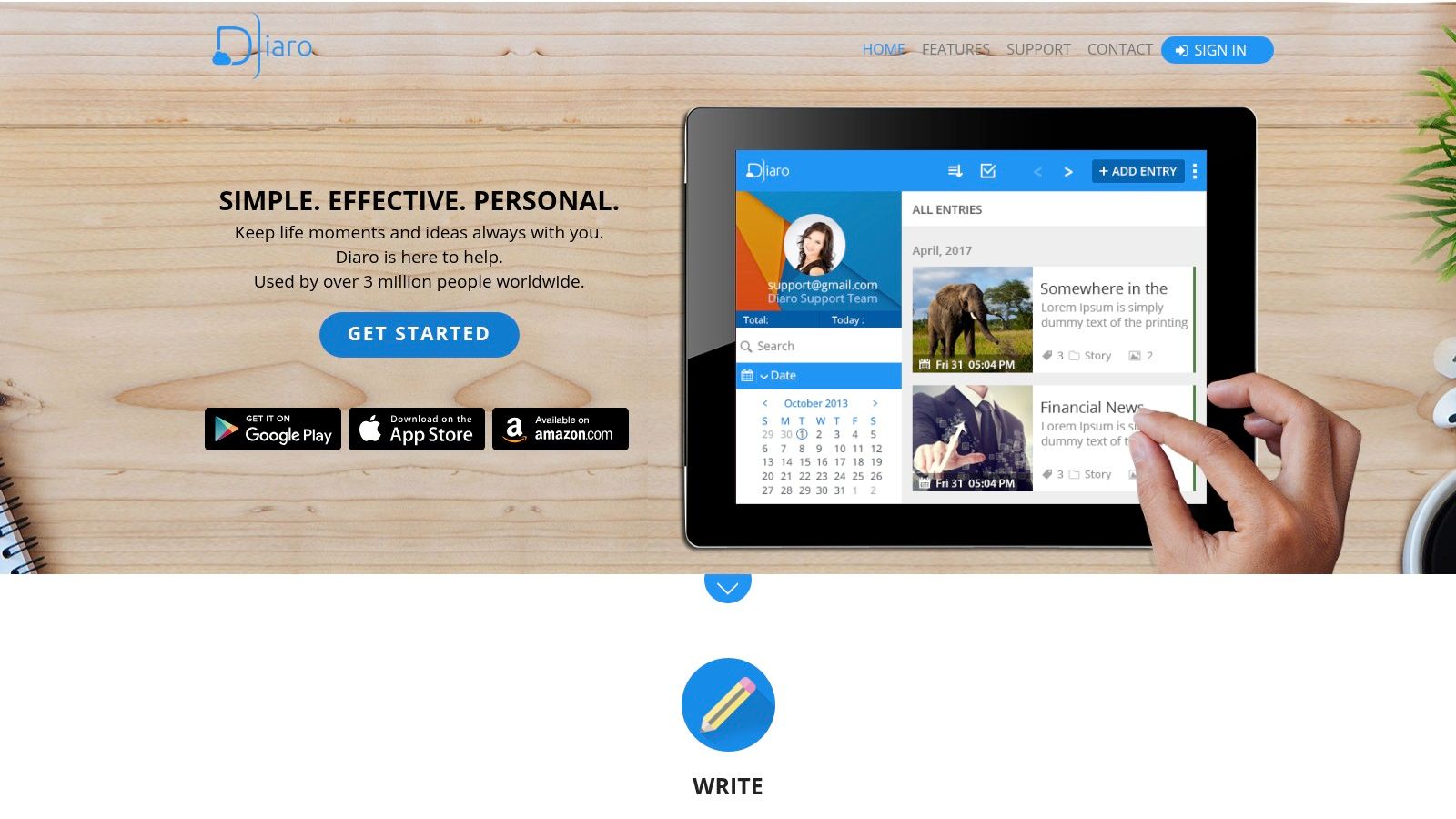
Diaro is a traditional diary: thoughts, activities, experiences, ideas, filed by date, with Android and iOS apps plus browser access. According to its FAQ, the free version doesn't limit how many entries you can add in a day, which suits people who write in bursts.
Premium is where the practical features live. Dropbox-based syncing, web access, PDF, DOCX, and TXT exports, and an ad-free interface all require it.
Two of those gates change daily use more than the others. Ads are a friction tax on a habit you're trying to make effortless, and free-tier sync means your journal lives on one device at a time. If you're the sort of person who writes half an entry on the bus and finishes it at a keyboard, the free plan won't carry that workflow.
The export formats are worth weighing before you start, not after. PDF is for reading, DOCX is for editing, TXT is for moving into something else, and having all three behind one upgrade is a cleaner exit path than a single proprietary file.
Android users comparing some of the best free journal apps should also read our Android journal app rundown, since free-tier behavior often differs between the two stores. Test the free version on the actual phone you use, add a week of real entries, and see whether the ads and the single-device limit are things you'll tolerate in month six.
10. Stoic
Stoic runs on routines rather than an empty editor. Morning preparation, evening reflection, daily prompts, affirmations, and selected guided exercises are in the free plan, with mood tracking and habit-building tools alongside. Premium adds depth and personalization, including AI features.
The important distinction is that the free plan isn't a trial. You get prompts and exercises you can use indefinitely, which makes this a real option for someone who wants structure without a subscription.
What you're choosing here is a purpose. This is a self-reflection tool, not a memory archive. If your goal is to look back at 2029 and remember what your kid said at the beach, guided questions about your intentions for the day won't get you there. If your goal is to think more clearly each morning, the structure does the work a blank page can't.
The cap you'll hit is depth. The free exercises give you a routine; the personalized and AI-driven layers sit above it. Check which specific feature you want before assuming a single upgrade covers everything, since AI tools are often packaged separately from the main premium plan.
Start with the routine you'll actually keep, then pay for depth only if the free exercises stop being enough.
Free plan highlights and limits at a glance
| Item | Free plan highlights | Main free limitation | Best for |
|---|---|---|---|
| Life Calendar | Weekly timeline with notes, images, moods, and tags; sample content | Up to three cards per week | Recommended for visual, week-by-week life reflections |
| Day One | Unlimited text entries and journals; search, prompts, reminders, and encryption | Limited to one photo per entry; some features require a paid plan | Searchable, private journaling with multimedia |
| Apple Journal | Free entries with text, media, places, and mood details; iCloud sync | Apple devices only | Apple users who want varied entry types and suggestions |
| Diarium | Timeline and calendar views; one attachment per entry | Sync, extra attachments, and some exports require Pro | Date-centered journaling with contextual details |
| Daylio | Quick mood and activity logs, notes, charts, reminders, and goals | Advanced statistics and customization are paid | Fast mood tracking and pattern review |
| Journey | Timeline, calendar, map, and photo views; moods, search, and reminders | Sync allowance is limited; some features require payment | Cross-platform journaling and browsing memories by date or place |
| Penzu | Unlimited entries, basic covers and fonts, reminders, and web access | Tagging, PDF export, and some security options are paid | Traditional diary writing across web and mobile |
| Grid Diary | Guided grids, prompts, tags, photos, reminders, and exports | Sync and passcode lock are paid; format may constrain free writing | Prompt-led, structured reflection |
| Diaro | No daily entry limit; mobile and browser access | Sync, exports, and ad-free use require Premium | Traditional diary writing, including on a computer |
| Stoic | Daily prompts, affirmations, selected exercises, and reflection routines | Personalized and AI features require Premium | Guided self-reflection and mindfulness |
Read this table as a cap map, not a feature scorecard. The useful question is which limit will interrupt your habit first. If you attach several photos to a normal entry, Day One's one-photo rule and Diarium's one-attachment rule become practical ceilings. If you record several distinct moments in the same week, Life Calendar gives you up to three cards per week before the structure starts to pinch.
Some caps are about place, not volume. Apple Journal keeps the experience inside Apple devices, so it fits an iPhone and iPad user better than someone moving between platforms. Journey and Diaro both have cross-device appeal, but their free limits sit around sync and export, which matter once an archive becomes useful rather than casual. Diarium's timeline and calendar views suit date-centered notes, though extra attachments and some exports need Pro.
The structured apps fail in a different way. Grid Diary and Stoic give you prompts and routines, which helps when a blank page stops you writing. Their limits show up when you want personalization, sync, passcode protection, or AI features. Daylio is the opposite shape: quick logging is cheap, while deeper statistics and customization are paid.
Match the cap to your actual week. Photo-heavy journalers hit attachment rules first. Mood trackers hit statistics limits first. Reflective writers hit prompt depth first. Visual life reviewers hit cards per week first. That tells you more than a list of surface features.
Pick the Free Limit You Can Live With
Write down the features you'll use every week, not the ones that sound impressive. In practice that list is short: photos, search, sync between two specific devices, and a way to get everything out. Four lines on a note card. That list is your test plan.
Then run each candidate against it for two weeks with real entries. Attach the number of photos you'd normally attach. Write on both devices you own. Do one export and open the file on a computer without the app installed. You'll learn more from that fortnight than from any feature grid, including the one above.
Expect the habit to be fragile at the start. A 2024 systematic review in the Journal of Medical Internet Research covering 18 studies and 525,824 participants found a median of 70% of users discontinued lifestyle or mental-health apps within the first 100 days, with abandonment highest soon after acquisition. A cap that stops you writing in week three isn't a minor inconvenience, it's the thing that ends the journal.
Watch for the slow failures too. A free plan that fits January can fail in June, when your archive is big enough that search matters, your photo count outgrows the attachment rule, or you buy a second device. The apps that break at that point aren't the ones with the fewest features. They're the ones whose limits sit exactly where your habit grew.
Switching later is harder than switching now, and export gates are the reason. If leaving costs money, you'll stay in an app you've outgrown, or you'll leave your archive behind. So check the export format, the attachments, the dates, and the tags before you write your first long entry, not after your hundredth.
My recommendation: choose the app whose free ceiling sits somewhere you don't write. Text-only writers can live with photo caps forever. Photo-heavy journalers should never accept one. And if you keep a weekly record rather than a daily one, pick the tool built around weeks, because a container that matches your rhythm beats a feature list every time.
Life Calendar turns your life into a grid of weeks from your birthday, and lets you mark each week with a color and add notes, images, mood, and tags to it, so a memory sits inside the bigger picture of your time. Free and Premium users can add up to three cards per week, Pro removes that cap, and you can export your notes as a text file or share a copy of the grid whenever you want your record outside the app. If a weekly record sounds like the habit you'd keep, download Life Calendar on the App Store or Play Store and fill in this week before you forget it.