10 Best Journal App Android in 2026: Formats Compared
Compare 10 of the best journal app Android options for 2026, from multimedia diaries to mood trackers. See formats, features, and real limitations.
In this article
- 1. Life Calendar
- What a weekly record holds
- 2. Day One
- Where it earns its keep
- 3. Journey
- The catch to check first
- 4. Diarium
- 5. Diaro
- 6. Daylio
- What you give up for speed
- 7. Daybook
- 8. Penzu
- Read the free limits carefully
- 9. Grid Diary
- 10. Journal It
- Who should be careful
- Android journal apps compared by format, free access, and best use
- Choosing the Journal Format You Will Still Use in March
- Judge the test on friction, not features
You want to remember this year, but you've never kept a diary and a blank page at 10 p.m. feels like homework. That's normal. People don't fail at journaling because they lack discipline. They pick a format that asks for more writing, or more decisions, than their day allows.
That's why this list sorts the best journal app Android options by how they structure a record, not by popularity. Some give you free writing for long entries. Some give you prompts so you never start from nothing. Others use mood check-ins, week-based timelines, or multimedia archives built around photos and search.
Android is a huge place to find them. The Google Play transparency report for 2025 says the platform was available in more than 190 markets and reported more than 3 billion active users per month in 2025. Scale doesn't tell you which format you'll keep using, though.
Read each entry for one thing. Does the way it asks you to record a day, or a week, match the habit you already have? If you write paragraphs in notes apps, start with free writing. If you tap reactions and move on, start with moods. If you think in photos, start with an archive.
1. Life Calendar
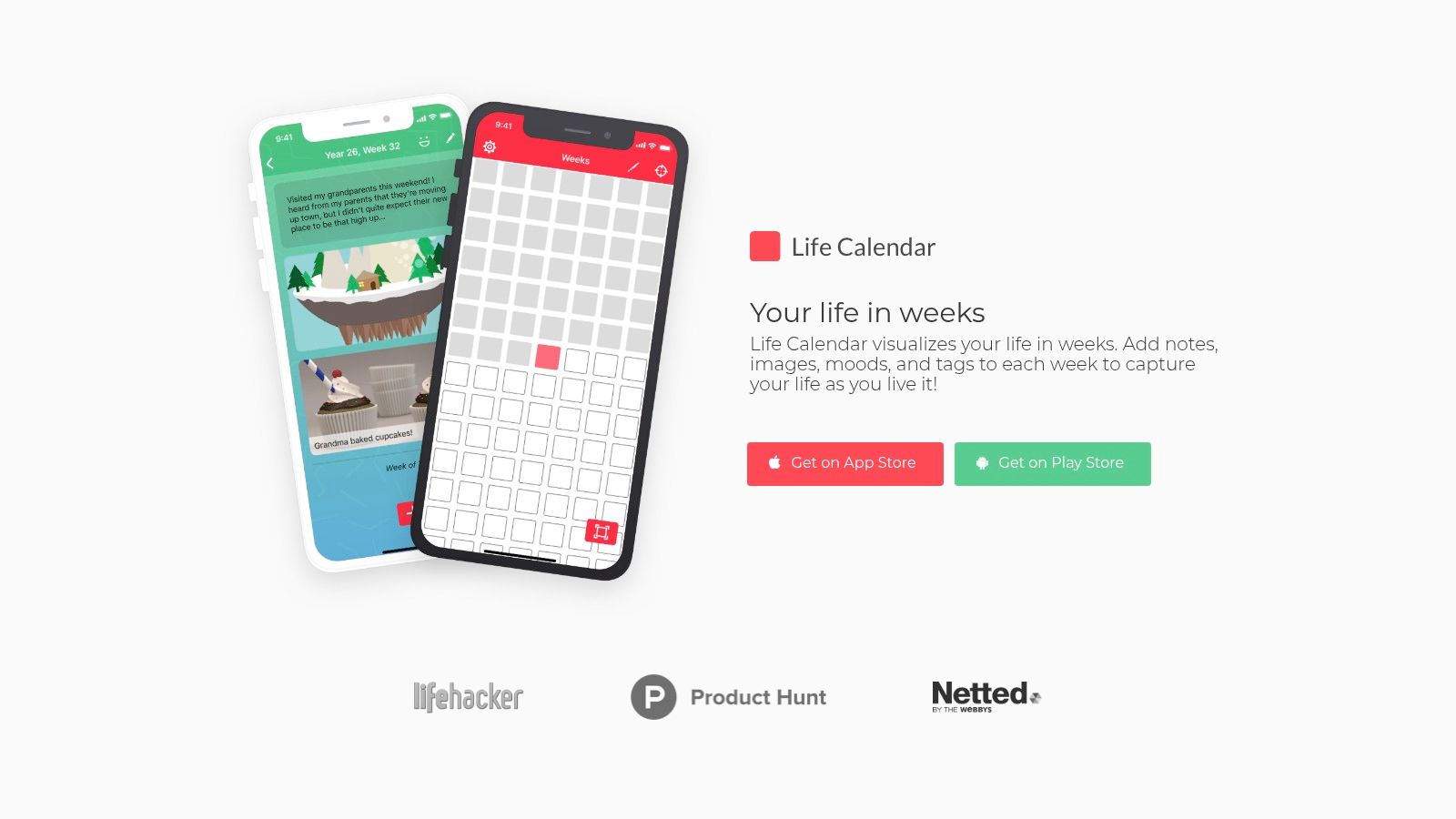
Life Calendar turns your life into a week-by-week visual timeline. We use your birthday to generate a grid of your life in weeks, with each week shown as a box. You can view that grid as all weeks in one grid, or broken into years, and a pointer marks your current place by default.
The format was inspired by Tim Urban's popular post Your Life in Weeks, and it changes the question. Instead of asking what you did today, it asks what defined this week. That suits people who forget daily entries but can manage one honest record on a Sunday.
What a weekly record holds
You can mark each week with colors and add notes, images, mood, and tags to it. Each note is called a card. Free and Premium users can add up to three cards to each week, while Pro users can add an unlimited number. Premium users can also add different card types, such as image and video cards.
- Best fit: You want context over detail, and you'd rather see a trip, a hard month at work, or a new baby placed inside the longer shape of your life.
- Weak fit: You want granular daily entries with timestamps, long morning pages, or several separate journals for work and family.
- Android note: Android users can download the older version from the Play Store. The major update is available on iOS, and the Android update is still under development, so some newer features might not be available in the old version.
Honest limits matter here. Notes can be exported as a text file from Settings, then Export Notes, and exported notes cannot be imported back into the app. A web client for typing on a computer is in development and not yet released.
I recommend this format if daily journaling keeps dying on day four. One card a week is a low bar, and after a few months the grid does work a list of entries can't do. You see patterns, gaps, and good stretches at a glance.
2. Day One
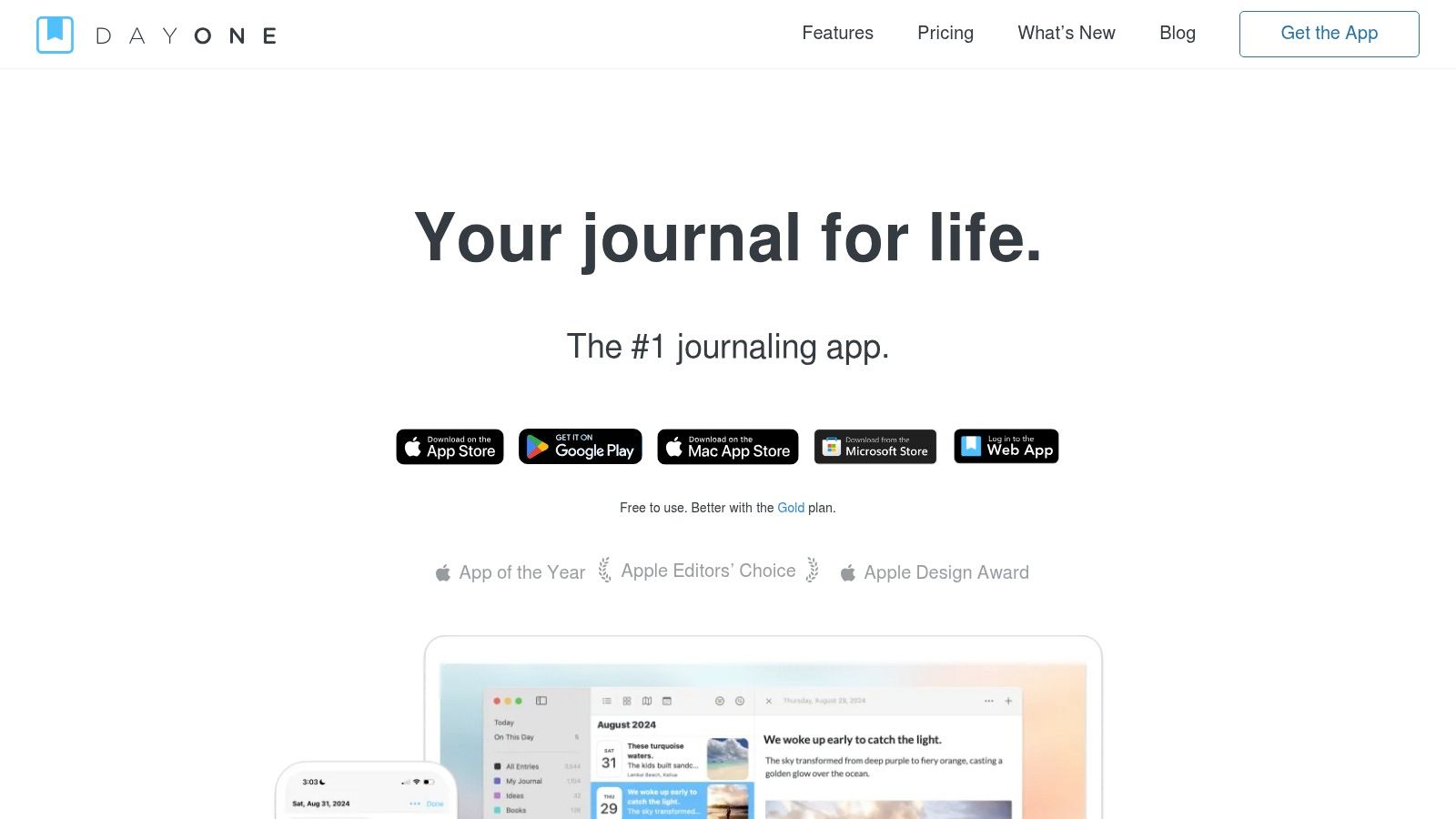
Day One is the multimedia archive pick. It's built for people who want to search years of life later, not just get through tonight's entry. You get calendar views, templates, media attachments, and multiple journals.
Say you keep one journal for family, one for work notes, and one for travel. Day One handles that split cleanly, and the free Basic plan supports unlimited entries and journals. That's a strong starting point if you're still learning how to structure journal entries that you can find again later.
Where it earns its keep
- Search and templates: You can find old entries fast and reuse a structure for daily reviews, gratitude lists, or meeting notes.
- Exports: Local backups and exports in PDF, JSON, and plain text give you an exit path, which many pretty journals skip.
- Android support: Android is actively supported with regular updates, though feature availability isn't identical across platforms.
The trade-off is cost and weight. Full sync and richer media features sit in paid Silver and Gold tiers. If you only want to write three honest sentences a day, Gold is more product than you need.
Practical rule: Pick an archive app only if you'll actually revisit entries. If you never reread, you're paying for storage and search you'll ignore.
3. Journey
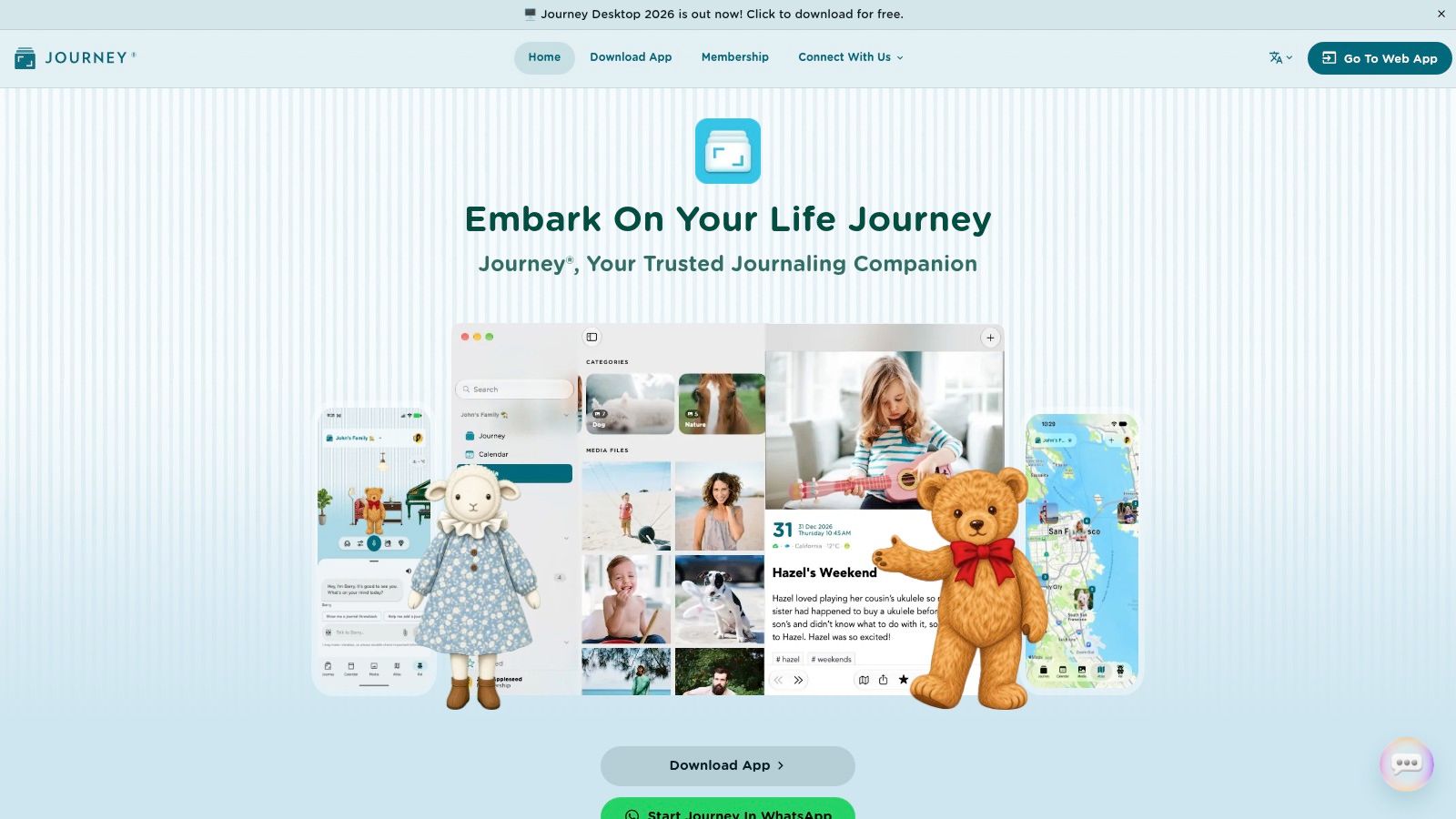
Journey suits people who record more than text and browse memories in more than one way. An entry can hold moods, tags, photos, videos, audio, location, and weather. You can then revisit it through calendar, timeline, map, or photo views.
That map view sounds like a gimmick until you travel. A week in Lisbon becomes a cluster of places, meals, and photos you can open geographically. At home, the photo view is usually more useful, because you'll remember the birthday cake before you remember the date.
Access is broad, across Android, iOS, desktop, and web. That matters if you capture quick notes on your phone but write properly at a keyboard. Features can vary between platforms, though, so test the device you'll use most before you pay.
The catch to check first
Cloud sync and end-to-end encryption are tied to membership, and some paid features are sold separately by platform. Don't assume one purchase covers everything you own. The developer notes Google Play Editors' Choice recognition, which tells you about polish, not about fit.
Choose Journey if your journal is really a personal record with attachments. Skip it if automatic location and weather feel like clutter you'll turn off in week one.
4. Diarium
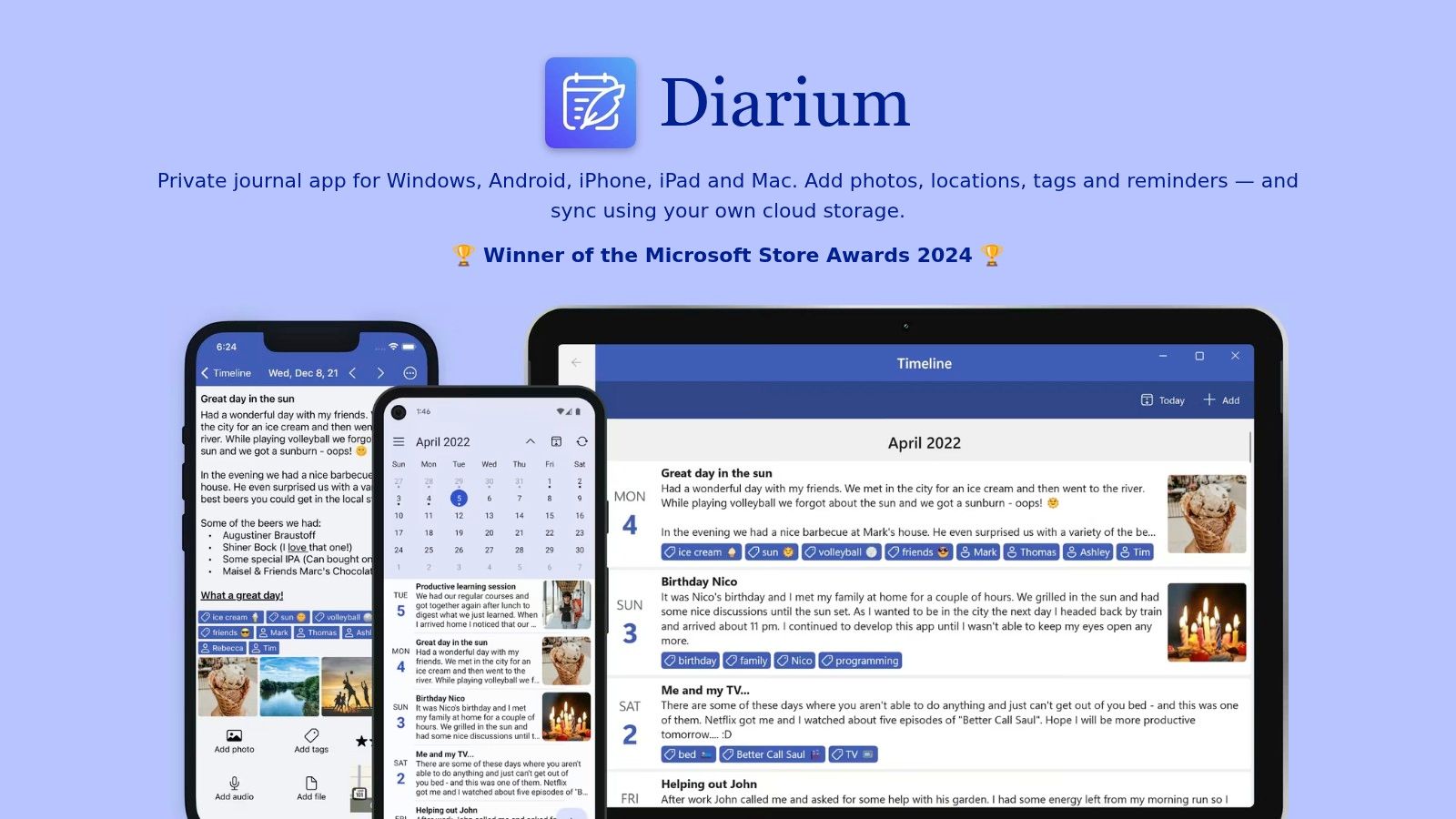
No account. No subscription. That's the pitch for Diarium, and for a lot of Android users it's enough.
You can start writing without handing over an email address, then add notes, photos, videos, audio, files, tags, and locations. Entries are browsable by calendar, timeline, map, and gallery. Android Pro is a one-time purchase rather than a recurring subscription, though that purchase is per platform, not a universal license.
Sync is optional and runs through your own cloud storage, such as Google Drive, Dropbox, iCloud, or WebDAV. That's a real ownership advantage. You're deciding where the backup lives instead of trusting a journal company's server by default.
That distinction matters for sensitive writing. A qualitative study of digital diary methods published in PMC found that participants raised concerns about privacy and data sharing, particularly as diary databases become larger. Your journal will get larger, and more personal, if the habit works.
The downside is setup. Sync depends on your cloud account working properly, and sync plus some useful extras require Pro. If you want sign in and forget it, Diarium asks more of you than Journey or Day One.
5. Diaro
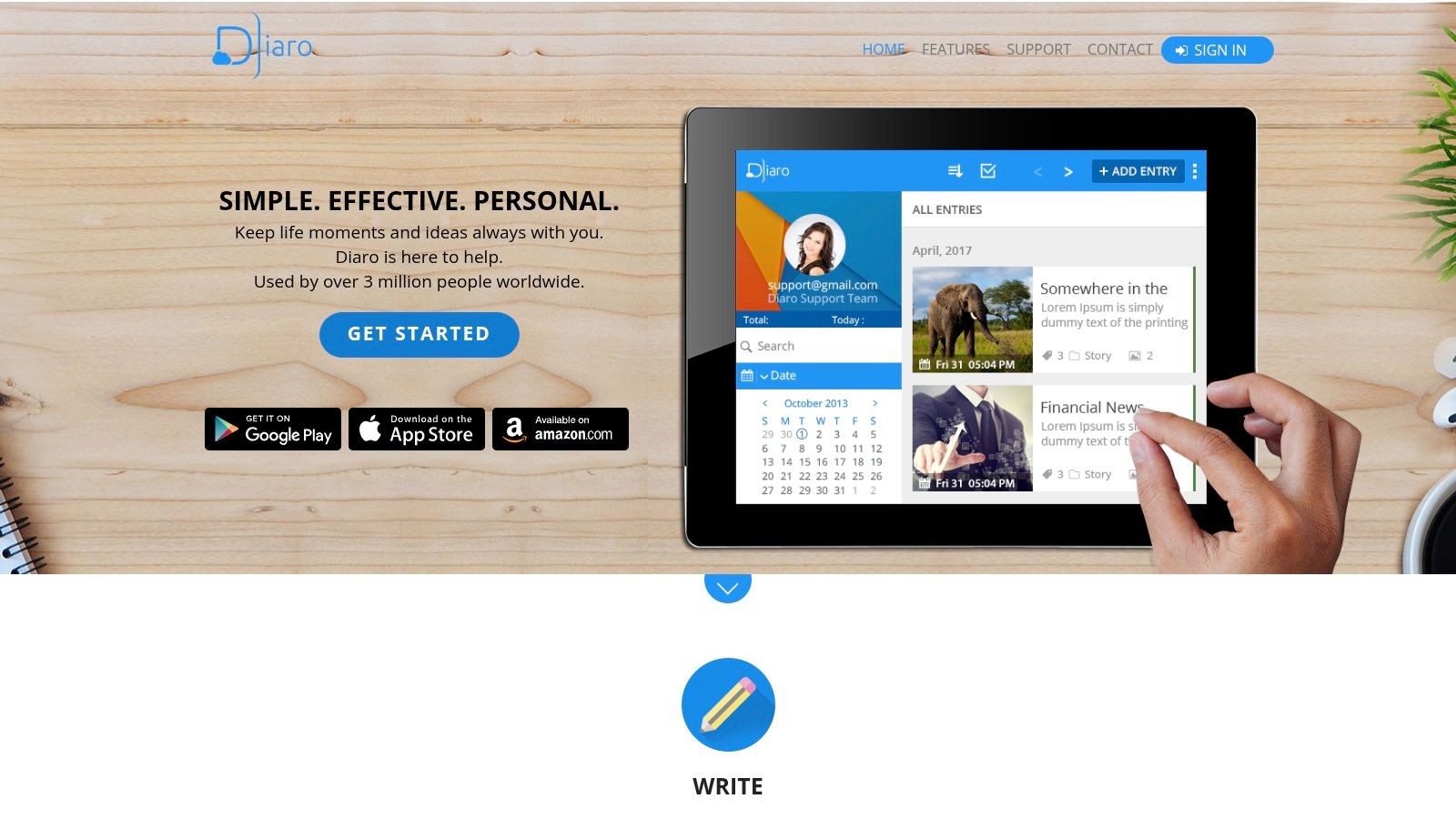
Diaro is a straightforward diary for people whose main problem is finding things later. Entries organize by date, folder, tag, and location, with search and filters on top. It doesn't try to coach you, score you, or turn your week into a chart.
Folders are the useful part. Keep work incidents in one folder, health notes in another, and ordinary days in a third. Six months later, when you need the date you spoke to your landlord, you filter instead of scrolling through everything you felt in spring.
- Retrieval first: Search, folders, and tags make older notes usable, not just stored.
- Web companion: The mobile app works alongside a web version when you want a bigger screen.
- Exports: PDF, DOCX, and TXT exports are available, with some export features in Pro.
Sync depends on Dropbox and Diaro Online as a Pro feature. Ad removal and several convenience options are also paid. Some website FAQ and policy information is older, so check current app store details before you store anything sensitive.
I see Diaro as the filing cabinet option. It's not the most inspiring place to write, but it's sensible if your journal doubles as a record you may need to prove, print, or hand to someone else.
6. Daylio
Daylio suits the journaler who has abandoned blank-page diaries. You choose a mood, mark the day's activities, and add a note only when a detail matters. An entry can take seconds, which makes it the strongest fit here for a mood check-in format.
That speed creates a useful record over time. Mood charts and activity statistics can expose patterns such as lower moods after poor sleep or better days tied to walking and seeing friends. Treat those charts as prompts for questions, not proof of cause.
What you give up for speed
A tapped mood flattens context. A great day and an ordinary good day can look identical if you skip the note, so write one line about the reason when the day has one. If your goal is a fuller weekly narrative, a week-based life calendar format organizes individual notes around each week instead.
Premium adds advanced stats, automatic backups, PDF export, and extra customization. The developer says you can downgrade from Premium without losing data, so trying the paid tier carries less risk if basic logging turns out to be enough.
A tap you repeat beats a beautiful entry you write twice a month. Consistency is the feature; everything else is decoration.
7. Daybook
Daybook combines a daily diary with guided prompts and mood and activity tracking. It's for the person who opens a journal, thinks nothing happened today, and closes it. A prompt about gratitude, mood, or activities gives you a smaller question to answer.
The mix is the strength. You can free write on days you have something to say, then use guided reflection on flat days. Mood analysis features run alongside the entries, and passcode protection covers basic privacy on the device.
Be honest about whether guidance helps you or starts to lead you. Prompts can lower the effort of starting, but they can also steer every entry toward the same emotional register. I'd turn off any prompt category that makes you perform positivity instead of recording your actual day.
- Good for beginners: You get structure without giving up ordinary diary entries.
- Good for routine: Mood and activity tracking sit in the same place as your writing, so you don't maintain two apps.
- Check before committing: Some functions require in-app purchases, and you should review privacy and backup arrangements in the app and current store disclosures.
Daybook feels more involved than a simple notebook. If you want less interpretation of your mood, Diaro or Diarium will suit you better.
8. Penzu

Penzu is a web-based journal with Android and iOS apps. Start an entry on your phone on the train, finish it properly at a computer. For long writers, that handoff matters more than any streak counter.
The free Basic plan lets you try the service before paying. Paid Pro and Pro+ plans add entry tagging, PDF export, writing prompts, and enhanced locking options. A lifetime Pro+ option is listed, which will appeal if subscription fatigue is why you're reading this list.
Read the free limits carefully
Tagging sounds minor until you have two years of entries. Without tags, finding every entry about a parent, a project, or a house move becomes slow scrolling. PDF export is also paid, so your free trial doesn't fully test your exit route.
Penzu requires an account and a web service rather than being purely local. That's convenient for access, and it's a different trust decision from Diarium's bring your own storage model. Compare the current Android app experience and store disclosures with the browser version, because the browser is where this product feels most at home.
Pick Penzu if you think in paragraphs and type faster than you tap. Skip it if you mostly capture photos and short moments on the move.
9. Grid Diary
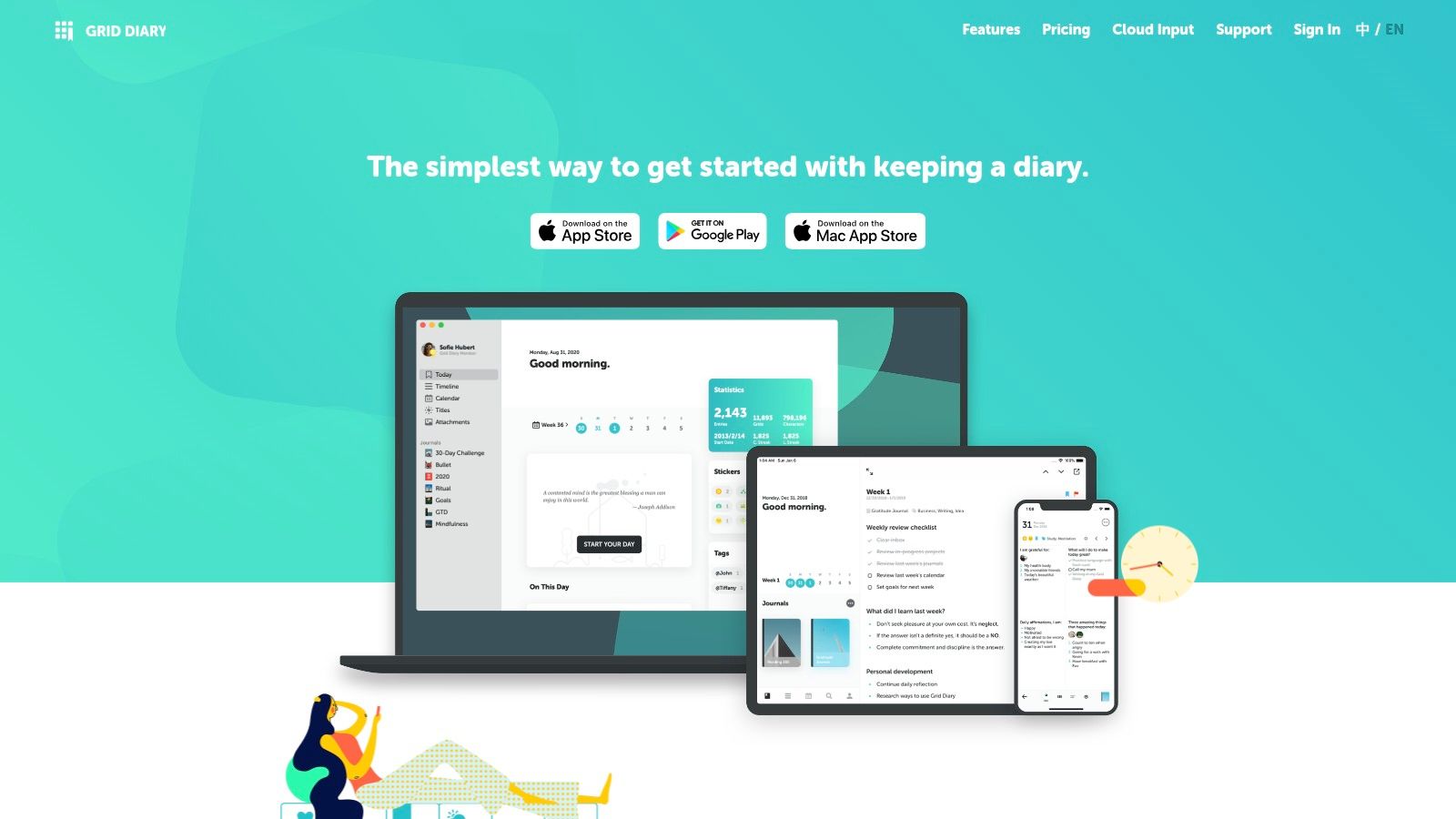
Grid Diary replaces the blank page with a grid of questions. Each box asks something recurring, such as what you're grateful for or what you got done. You fill boxes instead of composing an entry, and you're finished faster than you expected.
Recurring questions do quiet work. Answer the same goal prompt for a month and you'll see whether your plans change or just repeat. Customizable prompts let you swap generic reflection for questions about training, parenting, money, or creative work, similar to adapting visual journal ideas to a structure you'll repeat.
That structure is also the ceiling. A grid box isn't a place for a long account of an argument, a trip, or a decision you need to think through. You'll either squeeze it in badly or write it somewhere else.
- Strength: Prompts remove the starting problem and make short daily reflection consistent.
- Limit: Long freeform writing and multimedia archiving aren't the focus, unlike Day One or Journey.
- Cost watch: Sync, passcode lock, and additional themes sit behind monthly or annual subscription plans.
A 2025 thematic analysis in Digital Health found people were already using ChatGPT as an "in-the-moment journaling device". Grid Diary is a calmer version of that impulse. It gives you a question without sending your inner life to a chatbot.
10. Journal It
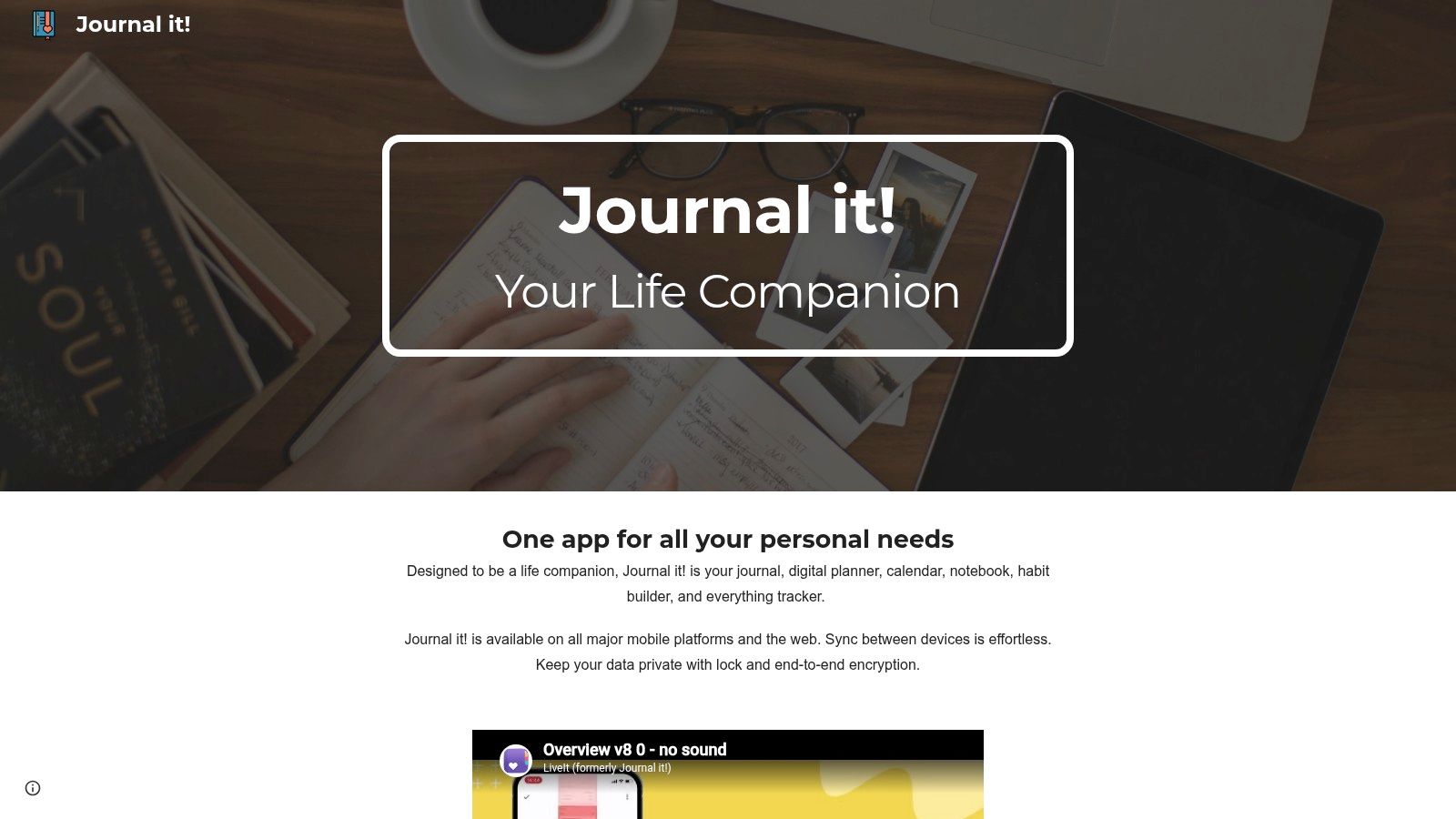
Journal It is the broadest tool here. It combines journaling with planning and life tracking, so daily entries sit near mood tracking, lists, tags, themes, and entry streaks. Some people love having it all in one home screen icon. Others open it to write and get distracted by everything else.
Photo and voice memo attachments help if you document better by talking or showing than by typing. A voice note after a long day can capture tone you'd never type. An entry lock adds basic protection for private records.
Who should be careful
If you only want a diary, this broader feature set can feel busy. Every extra module is another blank thing you could be maintaining, and guilt is a poor journaling system. Free use includes ads and in-app purchases, which can also break the quiet mood a journal needs.
Check current privacy and backup details before storing sensitive information. That's true for every app here, but it matters more when one app holds plans, moods, photos, and voice recordings together.
I recommend Journal It to consolidators, people who already keep lists and trackers and want one system. Minimalists should choose a narrower app and protect the habit from extra work.
Android journal apps compared by format, free access, and best use
The table sorts the ten apps by how each one structures a record. Read "Journaling Format" for what an entry looks like, "Free Option" for what you get without paying, and "Best For" for the person each format suits.
| Item | Journaling Format | Free Option | Best For |
|---|---|---|---|
| Life Calendar (recommended) | Week-by-week timeline with notes, images, moods, and tags | Free use with up to three cards per week; Premium adds image and video cards | Connecting memories to a visual life timeline |
| Day One | Multimedia entries in searchable journals | Basic plan includes unlimited entries and journals | Building a searchable personal archive |
| Journey | Multimedia diary with calendar, timeline, map, and photo views | Free download; cloud sync and end-to-end encryption require membership | Recording and browsing rich, detailed memories |
| Diarium | Diary with calendar, timeline, map, and gallery views | Free version available | Journaling without an account or recurring subscription |
| Diaro | Date-, folder-, tag-, and location-organized diary | Free to use with optional Pro features | Straightforward daily entries and search |
| Daylio | Quick mood-and-activity check-ins with optional notes | Free use available; some features require Premium | Tracking moods and spotting patterns |
| Daybook | Daily entries with guided prompts and mood tracking | Some functions require in-app purchases | Getting writing guidance and reflection prompts |
| Penzu | Web-based journal with mobile apps | Free Basic plan | Writing across phone and computer |
| Grid Diary | Grid of prompts and reflection boxes | Free features available; some extras require a subscription | Structured, recurring reflections |
| Journal It | Daily journaling with mood tracking and attachments | Free download with ads and in-app purchases | Combining journaling with broader life tracking |
Choosing the Journal Format You Will Still Use in March
Go back to that first scene. You want to remember a year, you've never kept a diary, and January motivation won't carry you far. The app you need isn't the most powerful one. It's the one whose basic action still feels easy on a tired Tuesday in March.
So don't install ten apps. Pick two formats that match a habit you already have. If you already write long messages and notes, test Day One or Penzu. If you already track habits or tap through check-ins, test Daylio or Grid Diary.
If you think in photos, test Journey. If you distrust accounts and subscriptions, test Diarium. If one entry a week sounds honest and daily sounds like a lie you'll tell yourself for a fortnight, test the weekly timeline format.
Use each of your two picks for two weeks. Not two days, because novelty makes everything feel good. Two weeks is long enough for a busy day, a boring day, and a day you'd rather not record.
Judge the test on friction, not features
Ask three plain questions. How many taps before you're writing or recording? Did you ever avoid opening it because it felt like work? When you reread last week, did the record tell you anything you'd already forgotten?
Technical quality counts too, especially with photos attached. The Android vitals documentation from Google identifies 1.09% as the overall bad-behavior threshold for user-perceived crashes and 0.47% for user-perceived ANRs. You can't see an app's full vitals as a user, but you can notice freezes when attaching images or scrolling old entries. Drop an app that stumbles there.
Then check your exit before you commit a year of memories. Can you export text, images, moods, and tags together? Is the export readable without the app? Can you restore after losing your phone, and does deleting an account delete the backups?
Exit test: Export a real entry in week one, open the file, and read it. If it's a mess, it won't get better after a year of entries.
Verify current Premium, sync, and privacy details in each app's store listing before you pay or migrate real entries. Prices change, features move between tiers, and Android versions sometimes lag other platforms. The store listing is the current truth, not any roundup, including this one.
Retention thinking helps here as well. The Android user metrics guidance says user loss rate should remain below 5% and the ratio of daily active users to monthly active users should exceed 8% for eligibility for certain Play features. Developers watch those numbers because installs don't equal habits. Apply the same logic to yourself. Count weeks recorded, not apps downloaded.
My honest advice is to choose the format that asks slightly less than you think you can do. A weekly card, a mood tap with one line, or three grid boxes will survive a hard month. A perfect daily essay usually won't, and an abandoned beautiful journal remembers nothing.
If a daily diary keeps slipping, try recording one week at a time instead, with notes, images, mood, and tags kept together in a single timeline you can see at a glance. Visit Life Calendar to look at the samples and FAQs, check the current Android version, and see whether a life in weeks is the format you'll still be using in March.