10 Best Journal App for iPhone Compared in 2026
Compare the best journal app for iPhone options by format, features, and limits. Find the right diary, prompt, or weekly journal for your habits.
In this article
- 1. Life Calendar
- Weekly structure and card tiers
- 2. Day One
- Where the free tier stops and AI begins
- 3. Apple Journal
- 4. Diarium
- One-time pricing and cloud sync caveats
- 5. Journey
- 6. Diarly
- What Premium adds and what encryption leaves out
- 7. Daylio
- 8. Diaro
- Dropbox sync and privacy labels
- 9. Stoic
- 10. Grid Diary
- Compatibility and membership checks
- How the Top iPhone Journal Apps Compare by Format and Pricing
- Choose the Format That Matches How You Write
- Run a four-part test before migrating old entries
You want to jot down a few lines before bed, yet by May you can't remember what happened in March. You open the App Store, type "journal," and stare at walls of identical five-star screenshots. That's a crowded shelf: Apple's 2024 US Apple Ecosystem Report puts average App Store traffic at more than 813 million weekly visitors worldwide in 2024, while transparency figures for the same year count 1,961,596 available apps at year-end.
Finding the best journal app for iPhone gets much easier when you pick your writing format before you compare feature checklists. The digital journaling category keeps expanding, with The Business Research Company valuing the global digital journal apps market at USD 5.69 billion in 2025 and projecting it to reach USD 9.64 billion by 2030. Many people quit a journal not because an app lacked dark mode, but because the daily layout didn't fit their way of thinking.
Four formats cover almost every iPhone journaling habit:
- Weekly life grids: Best if daily writing feels like homework and you want to see memories inside a wider timeline.
- Freeform diaries: Built for paragraphs, photos, audio clips, and deep searchable archives.
- Micro-diaries: Designed for ten-second mood and activity taps when you don't want to type at all.
- Guided and grid journals: Structured around recurring prompts so you never face a blank page.
If you already draft rough thoughts quickly before moving them into a diary, habits like writing faster with Zemith's notepad pair cleanly with any of the formats below. Each pick ahead breaks down what the app feels like to open every week, what it syncs, and where the free tier stops.
1. Life Calendar
Most diary apps treat each entry like an isolated page in a stack. Inspired by Tim Urban's post "Your Life in Weeks," Life Calendar takes a different format: it uses your birthday to build a visual grid of your entire life in weeks, with each week represented as a single box and a default pointer showing where you stand today.
Here is how the timeline looks when you view your weeks together on an iPhone screen.
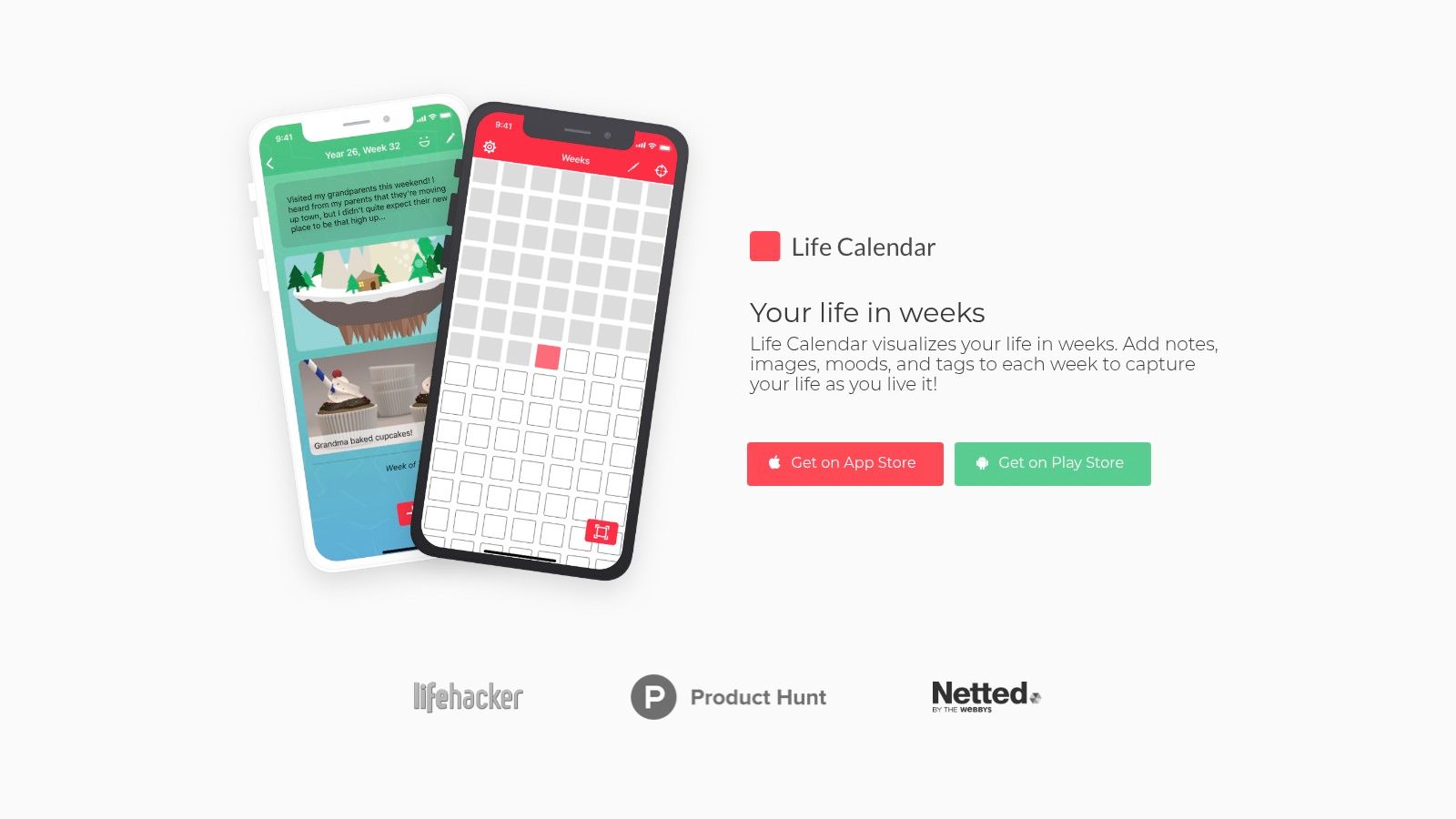
You can toggle between a single weekly grid displaying every week at once or a yearly grid that groups weeks by year. Inside any week, you can color-code the box and attach notes, images, moods, and tags. Every note you add works as an individual card, keeping written reflections, visual snapshots, and emotional context tied to the exact week they happened.
Weekly structure and card tiers
Daily writing habits break fast on mobile. According to GetStream's app retention benchmark citing AppsFlyer data across 11,000 apps and 10.6 billion installs, average iOS retention falls from 23.9% on day 1 to 8.3% on day 7 and 3.7% on day 30. A weekly unit lowers that daily pressure while keeping a reliable rhythm for reviewing your month.
Practical rule: If you skip three days in a daily diary, guilt makes you abandon the app. In a weekly grid, a Sunday recap still fills the box cleanly.
Before you commit your archive, check how the tiers, platforms, and exports behave in practice:
- Card limits by tier: Free and Premium users can add up to three cards per week, while Pro users can add an unlimited number of cards for each week.
- Media and lock options: Premium users can add image cards and video cards alongside text notes, and lock the app with a 4-digit PIN code or Touch ID where supported on iOS.
- Platform status: The app is available on the App Store and Play Store, with our major update live on iOS. The Android update is still in development, so Android users currently get the older version where some newer features aren't available yet, and a web client for desktop typing is still in development.
- Export behavior: You can save a visual copy of your grid from the Weeks view by zooming out and tapping Share, or export notes as a text file under Settings > Export Notes, though exported text files can't be imported back into the app.
The trade-off is clear: if you write long, hour-by-hour entries every evening, a weekly container will feel too zoomed out. On privacy, we don't use cookies for tracking, we don't sell, trade, or transfer personally identifiable information to outside parties without advance notice, and privacy questions go straight to our support inbox. Readers who want a closer look at how the weekly cards fit together can review our guide to the weekly life calendar workflow.
2. Day One
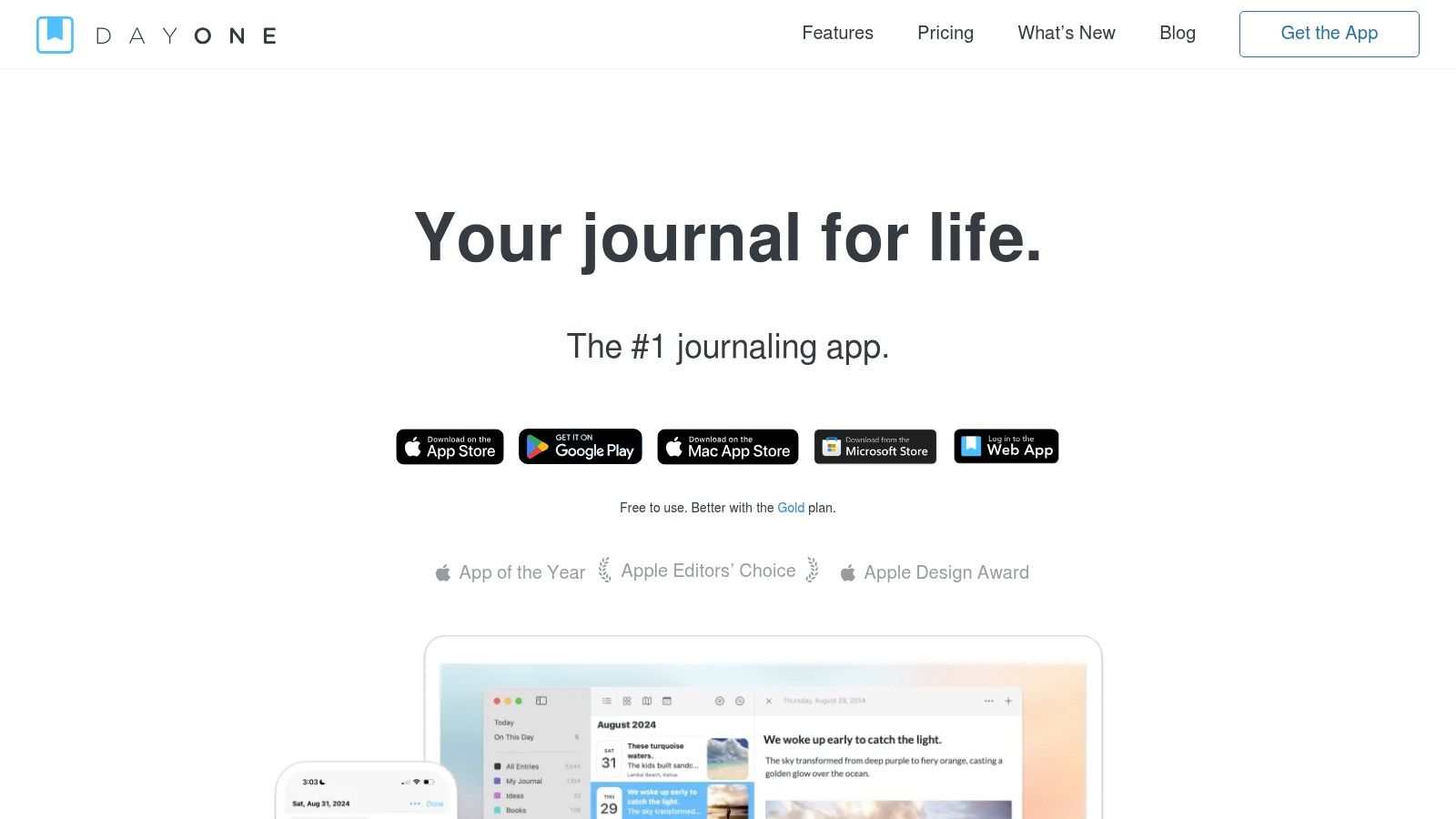
Say you come home from a weekend trip with ten photos, a voice memo recorded in the car, and three paragraphs of thoughts you don't want to lose. Day One is built for that exact freeform multimedia diary format. You open the app, drop in text, photos, video, audio, or drawings, and let the archive organize itself across calendar, map, media, and "On This Day" views.
The main writing workspace keeps formatting tools tucked out of the way while preserving quick access to past views.
Multiple journals, tags, search, templates, and writing prompts make it easy to separate work logs from personal memories. You also get passcode and biometric protection, end-to-end encryption, export tools, and the option to order printed books directly from your entries.
Where the free tier stops and AI begins
Day One's free Basic plan allows unlimited text entries and multiple journals, which is plenty if you only write on one phone and attach one photo per entry. Syncing across devices and adding expanded media require a paid subscription. If you're comparing no-cost options before paying for sync, check our breakdown of the best free journal apps to see how far unpaid tiers stretch.
The higher Gold tier introduces AI capabilities, which won't appeal to everyone. Privacy skepticism around mobile AI runs deep: a September 2024 YouGov survey highlighted in Dazzle's Apple Intelligence adoption report found that 62% of newer iPhone owners saw smartphone AI as another channel for data collection, while more than 40% of consumers voiced privacy concerns even about on-device AI. If you only want a private writing archive, skip the AI tier and verify whether your chosen plan keeps everything locked behind end-to-end encryption.
- Best fit: Long-form writers who want a rich personal history with map browsing and printed book exports.
- Main friction: Single-device access and the one-photo limit on Free Basic push multi-device users into a recurring subscription quickly.
3. Apple Journal
Free apps built into iOS usually cut corners, yet Apple Journal covers more ground than many expect. Instead of staring at an empty screen, you can pull from activity-based writing suggestions drawn from your recent photos, places, workouts, and media. That makes it an activity-assisted freeform diary rather than a stark blank notebook.
Each entry accepts text, photos, video, audio recordings, locations, and state-of-mind logs. You can organize entries across multiple journals, set writing goals, track streaks, lock the app with Face ID, Touch ID, or a passcode, and sync across supported Apple devices via iCloud. There's no subscription, no upsell banner, and no third-party account to manage.
Three practical constraints show up once you use it past the first week:
- Apple-only ecosystem: Everything depends on Apple hardware and iCloud, so switching to Windows or Android cuts off native access.
- Backup gap: Apple Journal entries aren't included in standard iCloud backups, meaning you need to confirm iCloud syncing is active and keep an encrypted local backup on a computer.
- Prompt clutter for purists: If you prefer starting from a clean blank sheet every night, activity suggestions can feel distracting until you tune them down.
Portability is the quietest weakness. Apple lets you export single entries or your entire journal, yet Mindspace's comparison of Apple Journal alternatives notes that the output arrives as an archive rather than structured JSON, Markdown, or plain text that another journaling app can readily import.
Test your export file in month one, not year five. An archive you can't search or import into another app locks your memories inside one vendor's garden.
4. Diarium
Recurring subscriptions pile up fast when you only want a quiet place to store personal notes. Diarium targets people who want an offline-first rich-text diary without signing up for another company's cloud account. You download the app, start typing immediately on your iPhone, and keep full control over where your database lives.
Diarium displays entries cleanly across a timeline alongside quick filters for dates, media, and tags.
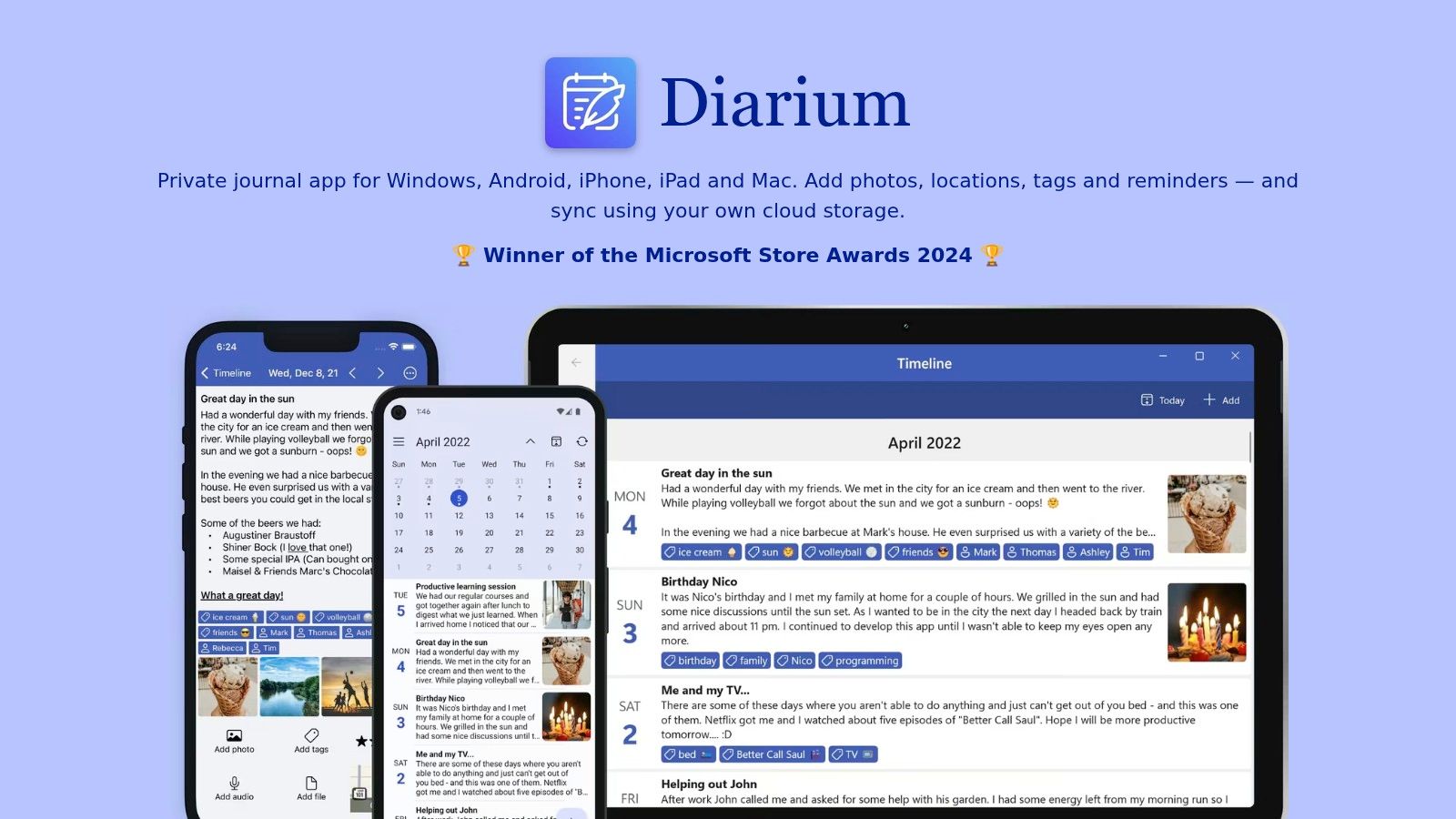
Rich-text formatting pairs with tags, locations, mood tracking, and generous attachment support covering photos, video, audio, and general files. When you want to look back, you can switch between timeline, calendar, gallery, map, and "On this day" views. Diarium also ships with migration tools built to pull in archives from several competing journal apps, which removes a huge headache if you're leaving an older diary behind.
One-time pricing and cloud sync caveats
On iPhone, upgrading to Diarium Pro is a one-time purchase rather than an ongoing monthly fee. That pricing model is rare in the journaling category, though there's a catch: purchases are platform-specific. Buying Pro on your iPhone doesn't grant access to the Mac app, so multi-platform writers need to budget for each operating system separately.
Syncing also takes a little more care than an all-in-one hosted service. Because Diarium doesn't run its own sync server, Pro lets you connect your own cloud storage through iCloud, Dropbox, or OneDrive. Always back up your archive and let syncing finish completely before opening and editing the same entry on a second device, or you risk sync conflicts.
5. Journey
A diary can start on an iPhone, continue on a work computer, and move with you if your next phone runs Android. For freeform writing, that flexibility can matter more than extra templates or viewing modes. Journey fits this format because it carries entries across iPhone, Android, desktop, and web instead of tying your archive to Apple hardware.
The interface combines rich-text entries with calendar and media browsing, making it easy to move between quick phone updates and longer sessions at a keyboard.
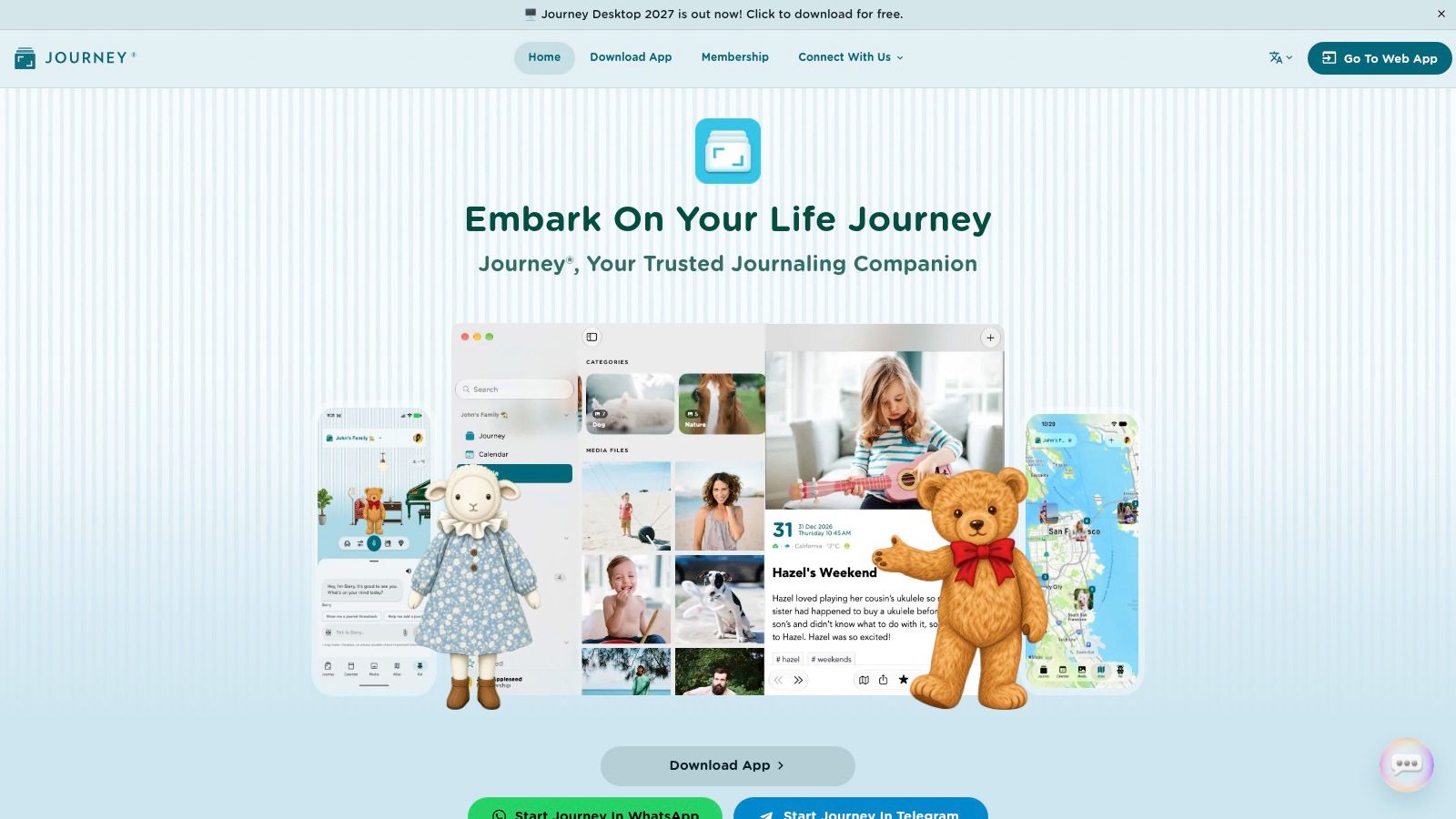
Journey works like a conventional diary rather than a guided journal or fixed grid. Its toolset covers the main parts of freeform journaling:
- Rich context capture: Add photos, video, audio, mood, tags, location, and weather to entries without recording those details manually.
- Multiple archive views: Revisit entries through timeline, calendar, map, and photo views, including older memories surfaced as “throwback” entries.
- Routine support: Use search, reminders, and templates for recurring daily or weekly logs.
- Encrypted membership option: Paid membership adds end-to-end encryption and expanded platform features.
The main compromise is visual density. Journey feels busier and less minimal than Apple Journal because it combines templates, cross-platform access, and several browsing modes in one workspace. Several capabilities also require paid membership, so review the current membership terms and sync rules inside the app before moving years of entries into it.
6. Diarly
Most free journaling tiers choke off photos or cap total entries so quickly that you can't run a fair test. Diarly flips that script for single-device iPhone writers. Its free tier gives you unlimited entries, photos, and videos inside one diary on one device, with no account signup and no ads.
Its clean writing layout pairs directly with calendar navigation, map browsing, and habit stats.
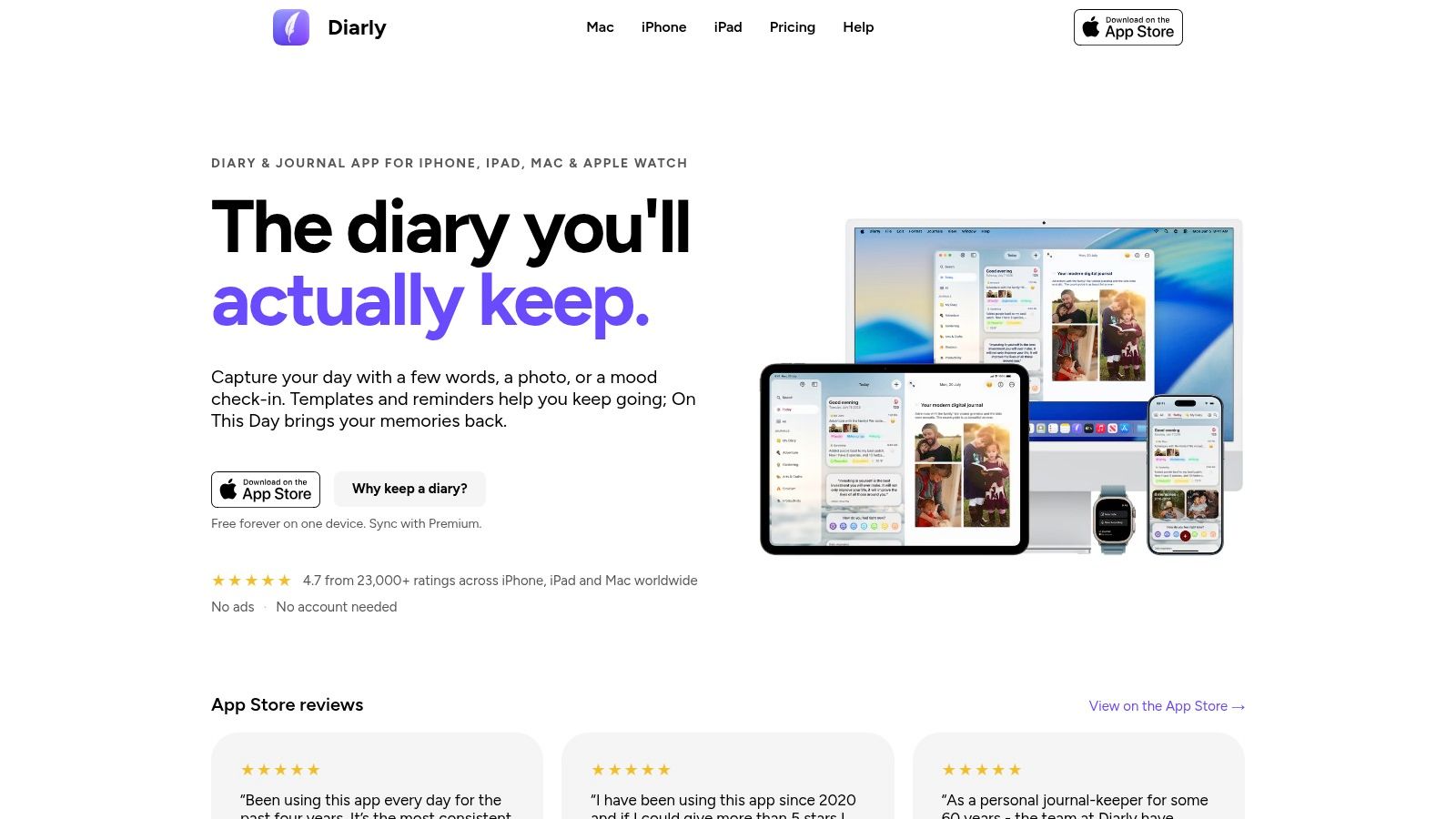
As a routine-focused Apple diary, Diarly weaves together templates, reminders, streaks, mood tracking, insights, and "On This Day" memories. You can browse entries through calendar, gallery, and map views, and an included Apple Watch app lets you capture quick thoughts when your phone stays in your pocket.
What Premium adds and what encryption leaves out
Upgrading to Diarly Premium provides syncing across Apple devices, multiple journals, and expanded export formats including PDF and EPUB. Premium pricing varies by country, so verify the current local rate directly inside the App Store listing before subscribing.
Pay close attention to the encryption boundary if you store sensitive photographs. Diarly Premium encrypts entry text, but images and other attachments are not covered by that encryption. If you write candid text entries and only attach casual travel photos, that compromise may be fine. If your attachments hold private personal documents or medical pictures, choose a journal that encrypts media as well as text.
7. Daylio
Some nights you don't have two paragraphs in you. You just want to tap "tired," mark "gym" and "late meeting," and turn off the light. Daylio owns the tap-based micro-diary format, turning daily journaling into a quick log of moods and customizable activities.
You can still add optional notes, photos, and voice memos whenever a day deserves extra detail, yet the app never guilts you into writing prose. Over time, Daylio turns those tiny check-ins into calendars, search results, statistics, mood and activity charts, and a color-coded "Year in Pixels" overview. Seeing patterns across sleep, work, and energy takes seconds rather than digging through pages of text.
- Low-friction habit building: Goals, reminders, and icon taps keep streaks alive during hectic weeks when long-form diaries stall out.
- Ongoing free tier: The developer states that the free version remains available, while advanced statistics, extra moods, and additional tools require Premium.
- Format ceiling: The tap-first interface feels cramped if you suddenly want to write multi-page narratives or store rich visual scrapbooks.
Keep expectations realistic about what charts can do: mood tracking gives you a personal record of daily shifts, not a clinical assessment. Readers specifically comparing emotional logs against fuller diaries can review our guide to choosing a mood tracking app. And if you're choosing a simple, tap-friendly daily routine tool for an older family member who struggles with dense text menus, you can also browse dementia-friendly app options built for low-friction recall.
8. Diaro
Some journalers think in folders, not endless vertical streams. Diaro sticks to a traditional folder-organized diary layout where entries live inside folders, tags, dates, and locations. That structure works well if you keep distinct logs for travel, health notes, family milestones, and work projects inside one app.
Its interface emphasizes structured filing alongside calendar and map filters for quick retrieval.
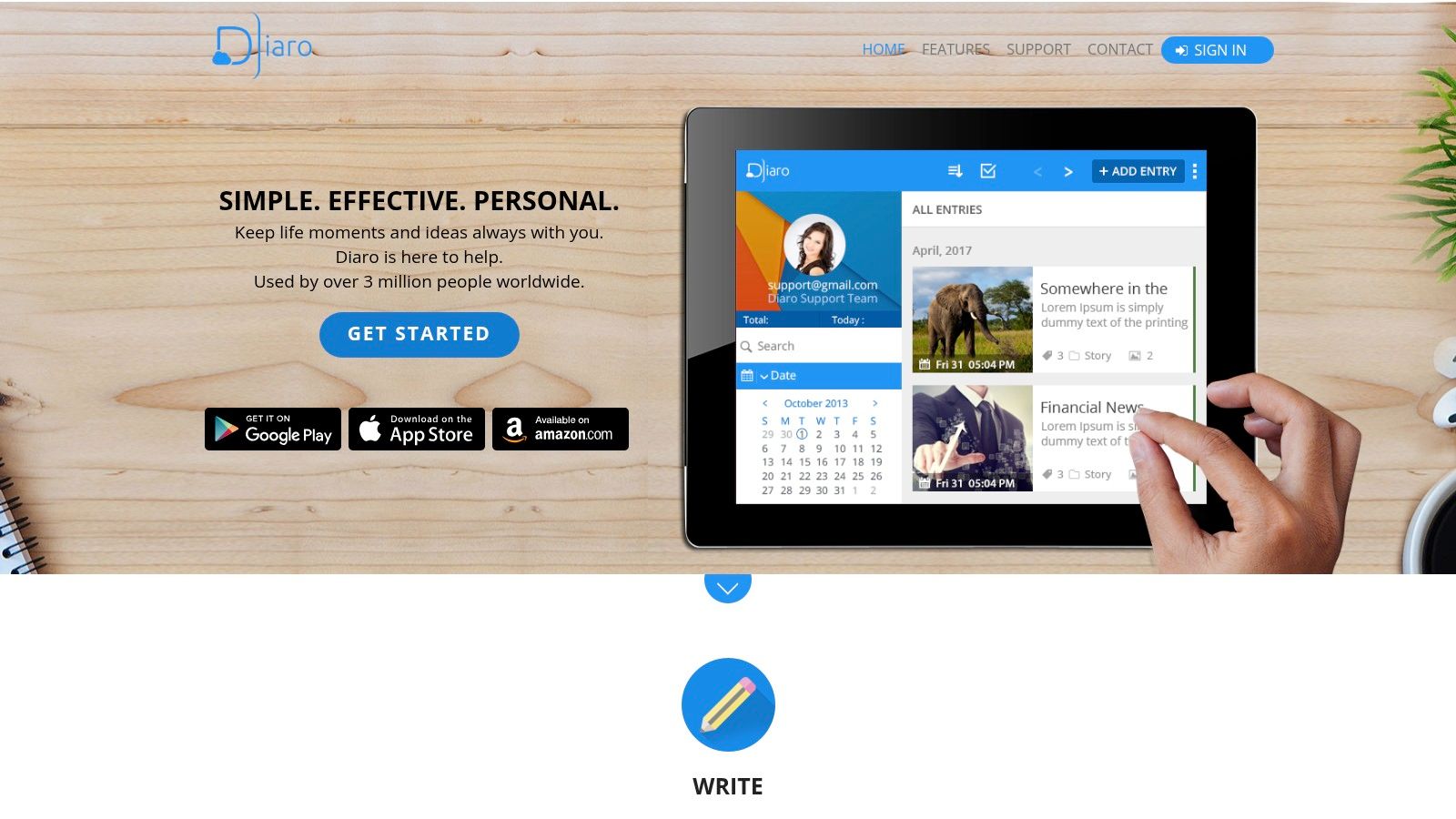
Beyond folders, Diaro supports mood tracking, weather details, photo attachments, search, diary statistics, and browsing via calendar, map, and "On this day" views. It also includes import tools for bringing over entries from selected other journal apps, making transitions less tedious if you already have a structured archive.
Dropbox sync and privacy labels
Two practical caveats separate Diaro from privacy-first competitors. First, syncing and several export capabilities require Diaro Pro, and Dropbox is the stated sync route. If your files live in iCloud or OneDrive and you don't want a Dropbox account just for a diary, that requirement adds friction.
Second, read the App Store privacy disclosure carefully before logging intimate entries. Diaro's App Store privacy label indicates that some usage data may be used for tracking. Privacy disclosures vary sharply across iOS: an academic longitudinal study of more than 1.1 million App Store apps found that 70.1% displayed an Apple privacy label, with 34.7% of labeled apps declaring data linked to the user and 14.9% declaring data used to track users. Treat the privacy label as your first filter, and check the full privacy policy whenever tracking appears on a personal diary app.
9. Stoic
Blank pages intimidate plenty of smart people. Stoic solves that hesitation by wrapping a guided reflection journal inside structured morning and evening routines. Instead of asking "What happened today?", it leads you through daily prompts, guided journals, morning planning, and evening reflection.
The workspace pairs written prompts with mood trends and structured reflection cards.
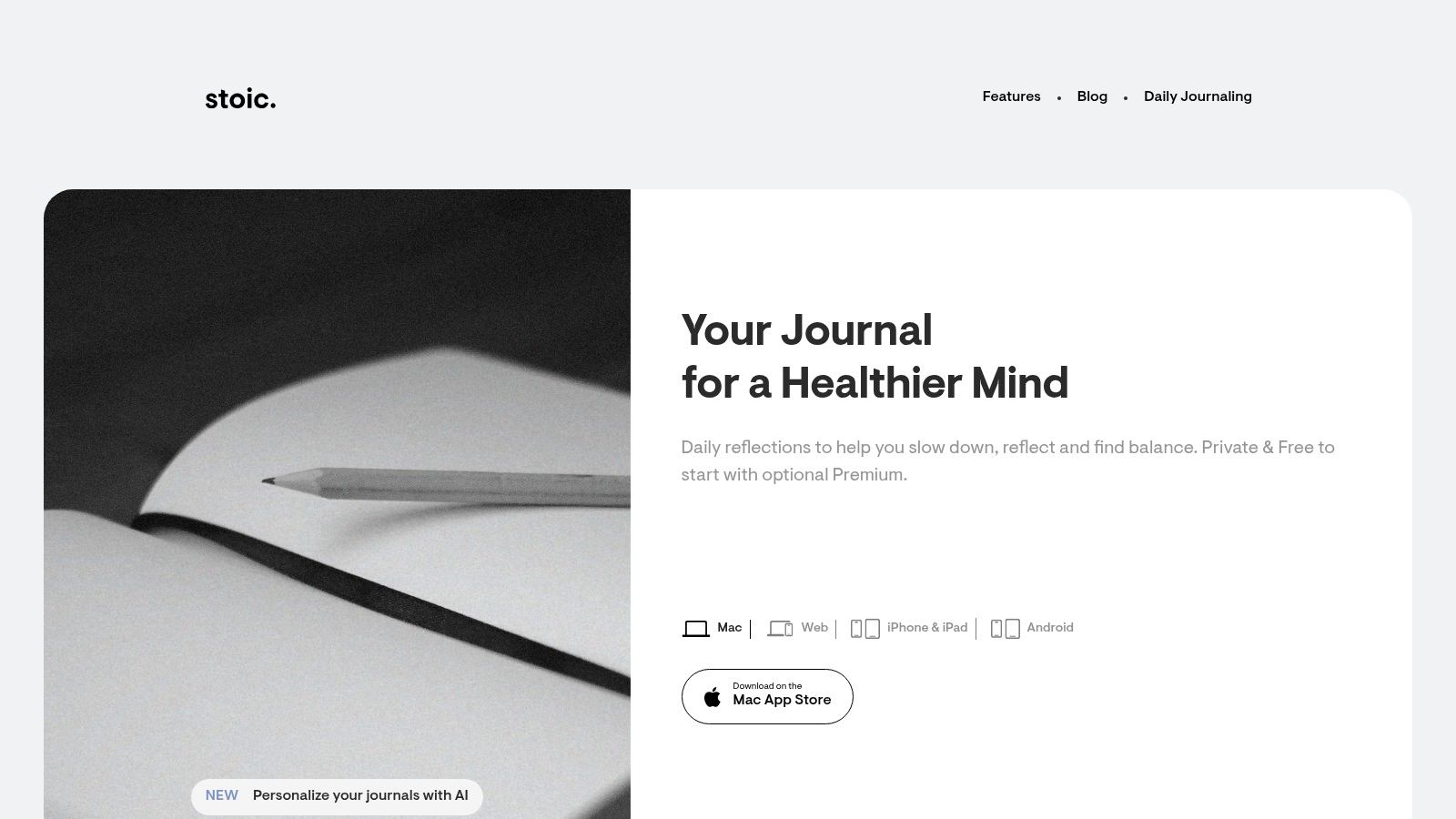
Alongside written prompts, Stoic supports mood tracking, streaks, trends, voice notes, photo and video entries, and companion exercises like breathing and meditation. It runs across Apple platforms and lists iCloud sync, making it easy to start a morning check-in on your iPhone and review reflections later.
Boundary to keep in mind: Stoic combines journaling with wellbeing exercises, yet it is a self-reflection tool and not a replacement for professional mental-health care.
Evaluating Stoic comes down to whether you want an all-in-one routine coach or a quiet notebook:
- Where it shines: Guided prompts remove writer's block and turn reflection into a predictable morning-and-night habit.
- Where it drags: It's a broader wellbeing suite rather than a simple diary, so people who only want to record daily events may find the extra exercises cluttered.
- Subscription check: Many premium tools sit behind a paid subscription, and in-app prices vary, so review the active plan screen carefully before starting a trial.
10. Grid Diary
A blank page invites rambling about whatever annoyed you last. Grid Diary replaces the open text box with a customizable prompt grid. Each square holds a recurring question you pick from the prompt library or write yourself, so gratitude, work wins, reading notes, and energy levels each get their own cell.
The grid layout breaks a single day into scannable boxes that stay consistent from week to week.
Its real strength is the layered time structure. You can organize prompts across daily, weekly, monthly, and yearly journaling dimensions, then filter patterns with tags and categories. Over a quarter, answering the same five or six questions produces a clean, comparable record that's far faster to scan than unstructured essays. For readers who want a guided-prompt format without a broader coaching layer around it, this grid is the most focused version of that approach.
Compatibility and membership checks
Structure cuts both ways. Writers who like entries that wander for ten paragraphs about a single conversation will find fixed cells cramped. Syncing across devices and other advanced features also require a paid membership, so test the grid rhythm thoroughly on the free tier before committing.
iOS requirements shift with app updates. Check Grid Diary's App Store listing for the current minimum version before downloading, especially on an older iPhone.
How the Top iPhone Journal Apps Compare by Format and Pricing
Start with structure, then check cost. These ten apps fall into four working formats, and the paid tier usually buys sync, attachments, or lock controls rather than better writing.
| Item | Format | Pricing model | Best for |
|---|---|---|---|
| Life Calendar | Weekly visual timeline; iOS and Android | Free to download; Premium adds image and video cards plus PIN or Touch ID locking, and current pricing is listed in the App Store and Play Store | Documenting memories by week with notes, photos, moods, and tags |
| Day One | Multimedia journal with calendar, map, and archive views | Free plan; paid plan for expanded features | Building a rich personal archive |
| Apple Journal | iPhone journal with activity-based writing suggestions | Free | Apple users who want prompts and iPhone integration |
| Diarium | Rich-entry diary with multiple archive views | Free use; one-time Pro purchase on iPhone | Offline journaling with attachments and optional cloud sync |
| Journey | Cross-platform multimedia journal | Membership for some features | Keeping a journal across phones, desktop, and web |
| Diarly | Apple-platform diary with routines and memory features | Free tier; Premium for sync and more features | Single-device journaling or Apple-device syncing |
| Daylio | Quick mood and activity tracker | Free version; Premium for advanced features | Low-effort mood and activity check-ins |
| Diaro | Organized diary with folders, tags, and archive views | Pro required for sync and some exports | Structuring and revisiting diary entries |
| Stoic | Guided journaling and wellbeing app | Premium subscription for many tools | Prompted reflection and wellbeing routines |
| Grid Diary | Customizable prompt-based grid journal | Membership required for sync and advanced features | Structured writing and recurring reviews |
On iPhone, the deciding price question is whether sync or export sits behind Pro or Premium; free tiers are enough to test the daily rhythm first.
Choose the Format That Matches How You Write
Picking the best journal app for iPhone starts with honesty about your worst Tuesday night, not your most inspired Sunday morning. If you've abandoned three blank-page diaries in the past, downloading another freeform app with prettier fonts won't fix the habit. Match the format to the effort you can sustain for thirty straight days:
- Weekly life grid: Pick this when you want perspective across months and years without daily writing guilt.
- Freeform multimedia diary: Pick Day One, Apple Journal, Diarium, Journey, or Diarly when you enjoy writing paragraphs and pairing them with photos, maps, or audio.
- Micro-diary: Pick Daylio when a five-second mood and activity log is the only routine you'll finish.
- Structured prompts: Pick Stoic or Grid Diary when recurring questions bring out thoughts that a blank page shuts down.
Run a four-part test before migrating old entries
Download two or three contenders that match your preferred format and run a practical thirty-day trial on their free tiers before paying for a subscription or importing years of old records. Check four things during that test month:
- Entry friction: Time how fast you can open the app and save a note with one photo. If it takes more than a minute or demands too many taps, you'll drop it during a busy week.
- Offline and backup behavior: Turn on Airplane Mode, read last week's entries, and confirm whether your photos load locally. Verify how backups work, especially if you use Apple Journal (which excludes entries from standard iCloud backups) or Diarium (which relies on your chosen cloud provider).
- Real export portability: Create a test entry containing text, a date, a mood, and a photo, then run an export. Open the resulting file outside the app to see whether you get readable files or a locked archive that needs the original software to restore.
- Privacy data flow: Check the App Store privacy label, confirm whether encryption covers both text and attachments, and see whether optional AI features upload entries to remote servers.
The best journal isn't the one with the longest feature sheet. It's the one you'll still open next month and still be able to read ten years from now.
Once one format sticks for four full weeks, lock in your backup routine, archive your test apps, and keep the tool simple enough that your writing stays the main event.
If daily journaling feels hard to maintain and you'd rather see your memories inside the bigger picture of your life, our weekly timeline lets you capture notes, photos, moods, and tags against every week you live. Explore sample timelines, iOS availability, and weekly card options directly at Life Calendar.