Diary with Photos: How to Pair Pictures and Words
Learn how to build a diary with photos: which details to record, which layout to choose, and how to keep images findable for years.
In this article
- Why Photos and Words Work Better Together
- The Fields to Record With Every Photo
- The minimum context test
- Choosing a Layout You Will Keep Up
- A default you can test
- Deciding Who Can See Your Photo Diary
- A check before you record and before you share
- Set Up Your Photo Diary and Start This Week
- The weekly pass
- Your first session
- Keeping Photos Findable for Decades
- Rules that keep a file readable
Sunday night, you open your phone looking for one decent picture from last month. The roll is full of ceilings, receipts, and three versions of the same plate. You recognize the faces. You can't say which week it was, or why you kept the shot. That gap is what turns a camera roll into a pile instead of a record.
A diary with photos closes the gap on purpose. You attach the picture to a dated entry, add context a stranger could still understand years from now, and decide who is allowed to see it. Those choices, made this week, are what make a memory findable in ten or thirty years.
Why Photos and Words Work Better Together
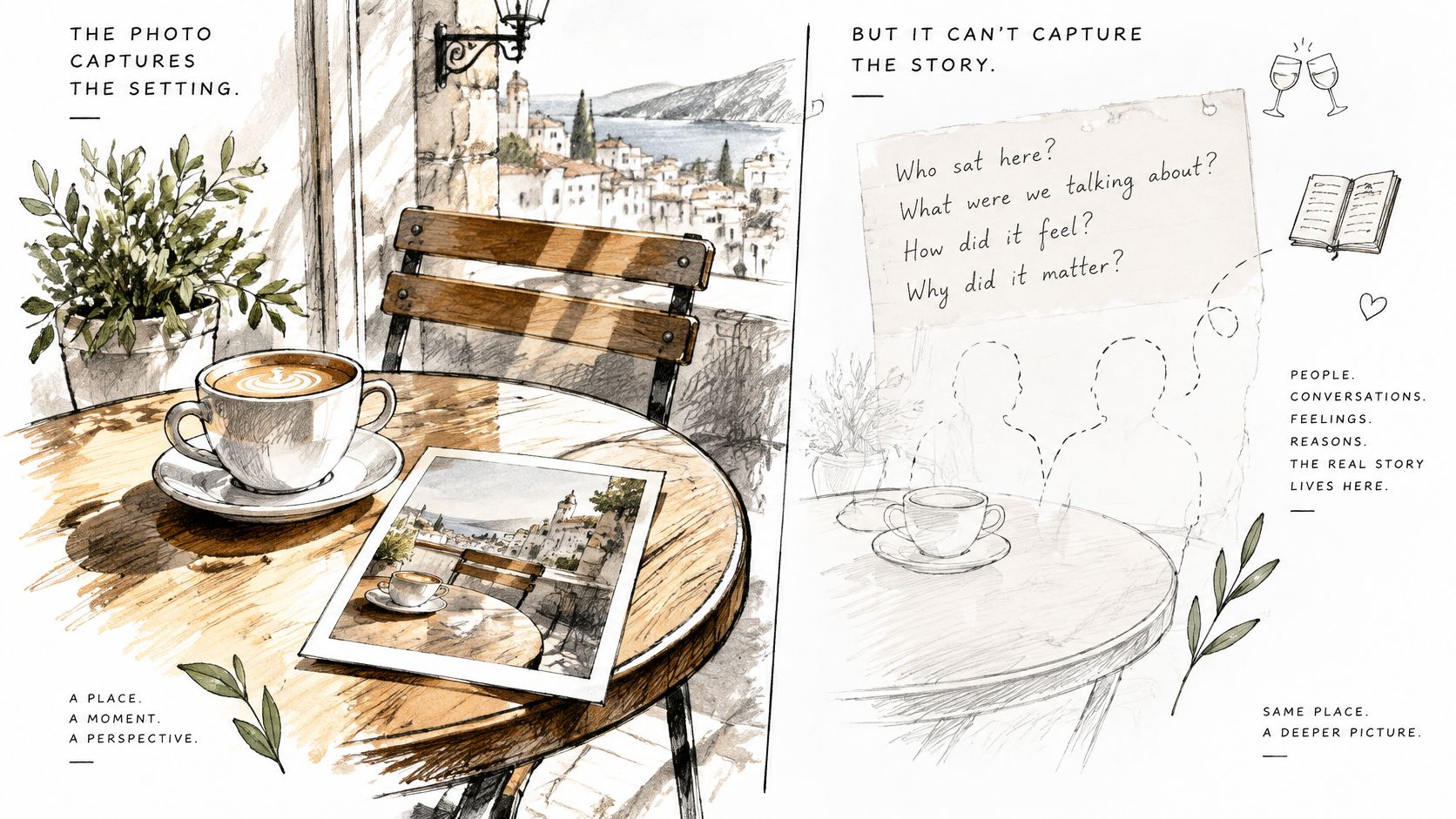
A photo and a diary entry each keep half a memory. Take the sunlit café table you photographed on a trip. A year later the image still shows the cup, the window, and the street. It does not show who sat across from you, or why that hour mattered.
The photo holds what was visible. The entry holds what was felt, decided, and happening just outside the frame. A museum label works the same way. The object is the photo. The label is the entry. A visitor arriving thirty years later needs both to understand what they are looking at.
Photos work as active retrieval cues, not decorations. A distributed-cognition analysis of photo-elicitation found that viewing an image can first surface related ideas, then stimulate emotion, associations, mental simulation, narrative construction, inference, and meaning-making. That chain is what makes reviewing a photo diary so different from re-reading plain notes. The picture opens the door. The words beside it walk you back into the room.
Once a date, a place, and a line of context sit next to the file, the pair becomes an archive rather than a snapshot. Without them, a photo of a café is just a café. With them, the same image tells your future self where you were, who was there, and why you kept it.
A diary is already dated, so a diary with photos inherits a timeline for free. You don't rebuild chronology later. You keep it as you go, and the record stays sortable decades from now.
Working rule: Every photo gets a date, a reason, and a sentence about what it meant.
The Fields to Record With Every Photo
Fill the same fields, in the same order, every time you keep a picture. A pretty caption isn't enough. Later you, or someone else, needs enough context to place the shot.
| Field | Example | What it preserves |
|---|---|---|
| Capture date and timezone | 14 March 2024, 16:40, Europe/Lisbon | Places the photo in the right week, even if uploaded later |
| Location | Lisbon, Alfama, tram 28 stop | Lets you search and recall where you were |
| People in frame | Sister and her partner, consent noted | Identifies faces you may not recognize in ten years |
| Event or occasion | Sister's wedding, first day at a new job | Gives the photo its reason for being kept |
| Written note | Two to three sentences on what happened and how it felt | Explains what the image cannot show |
| Mood or tag | Calm, tired, travel | Enables filtering across years |
| Original file | Untouched camera or phone capture | Protects against quality loss from repeated edits |
The minimum context test
Read the entry as if you'd never been there. If you can't tell when, where, and why from the fields alone, it isn't finished. "Nice day" fails that test. "Alfama, after the ceremony, we missed the tram and walked" passes it.
Dates are the field you can't reliably rebuild. Phones sometimes stamp the upload day, not the day you pressed the shutter. Check the capture time before you close the entry. Names, mood, and a short note can be added later, when you remember. A wrong week is much harder to repair.
Long-term reliability depends on the file as well as the words. The Library of Congress treats TIFF as the preferred preservation format and also accepts JPEG 2000, PNG, and JPEG/JFIF. Keep the highest resolution you captured, skip rescaling, retain bit depth, and keep the embedded color profile or write the color space down. Separate an access copy from that untouched original. JPEG is fine for everyday viewing because the files stay small, but saving the same JPEG again and again softens detail. If a date or place is wrong in the file itself, adjust photographic metadata on a copy, then leave the camera original alone.
Everyday shots can carry one sentence and a tag. Milestones deserve names, the place, and the reason you kept them. If you want a fuller sense of how a short written entry should sound, this guide to how to do journal entries pairs well with the note field above.
Choosing a Layout You Will Keep Up
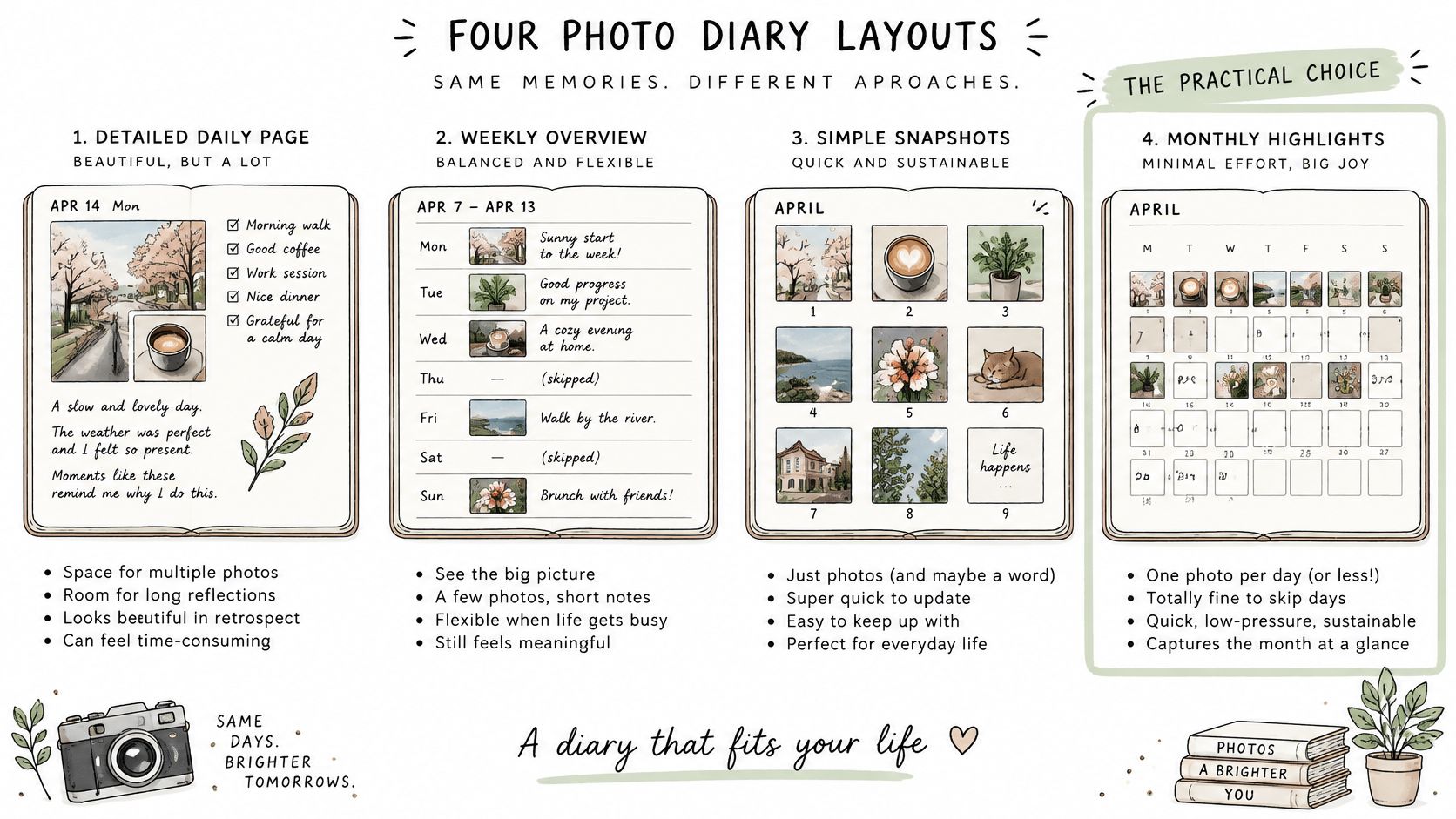
The best layout is the one you still open in March. Dated order is what makes the record useful, because a diary's defining feature is chronological organization. The McLean County Museum of History diaries collection shows why that order matters: entries by date keep both major events and ordinary details, and photographs add what the sentences can't show.
| Layout | Best for | Trade-off |
|---|---|---|
| Daily page | Detailed records of ordinary days | Takes the most time; gaps appear quickly when a day is skipped |
| Weekly entry | A consistent overview of a year or a life | Major events may need more room than a single week offers |
| Monthly spread | Seasonal reflection with low effort | Fewer details for each day |
| Event-based pages | Trips, milestones and projects | Ordinary weeks between events go unrecorded |
A default you can test
Use a weekly entry for the year as a whole, and add a separate event page when a trip or project won't fit in one box. A notebook with one page per week does this on paper. Life Calendar grew from Tim Urban's post "Your Life in Weeks," if you want that grid already drawn. If you're comparing phone options while you decide, start with a look at the best journal app for Android and match it to the time you have.
Pick the layout that fits the minutes you can give each week, then run it for one month before you commit.
A skipped daily page feels like failure by Wednesday. A monthly spread stays easy and then can't tell Tuesday from Thursday. The weekly page sits between those two, and the extra event page catches the week that was too full.
Deciding Who Can See Your Photo Diary
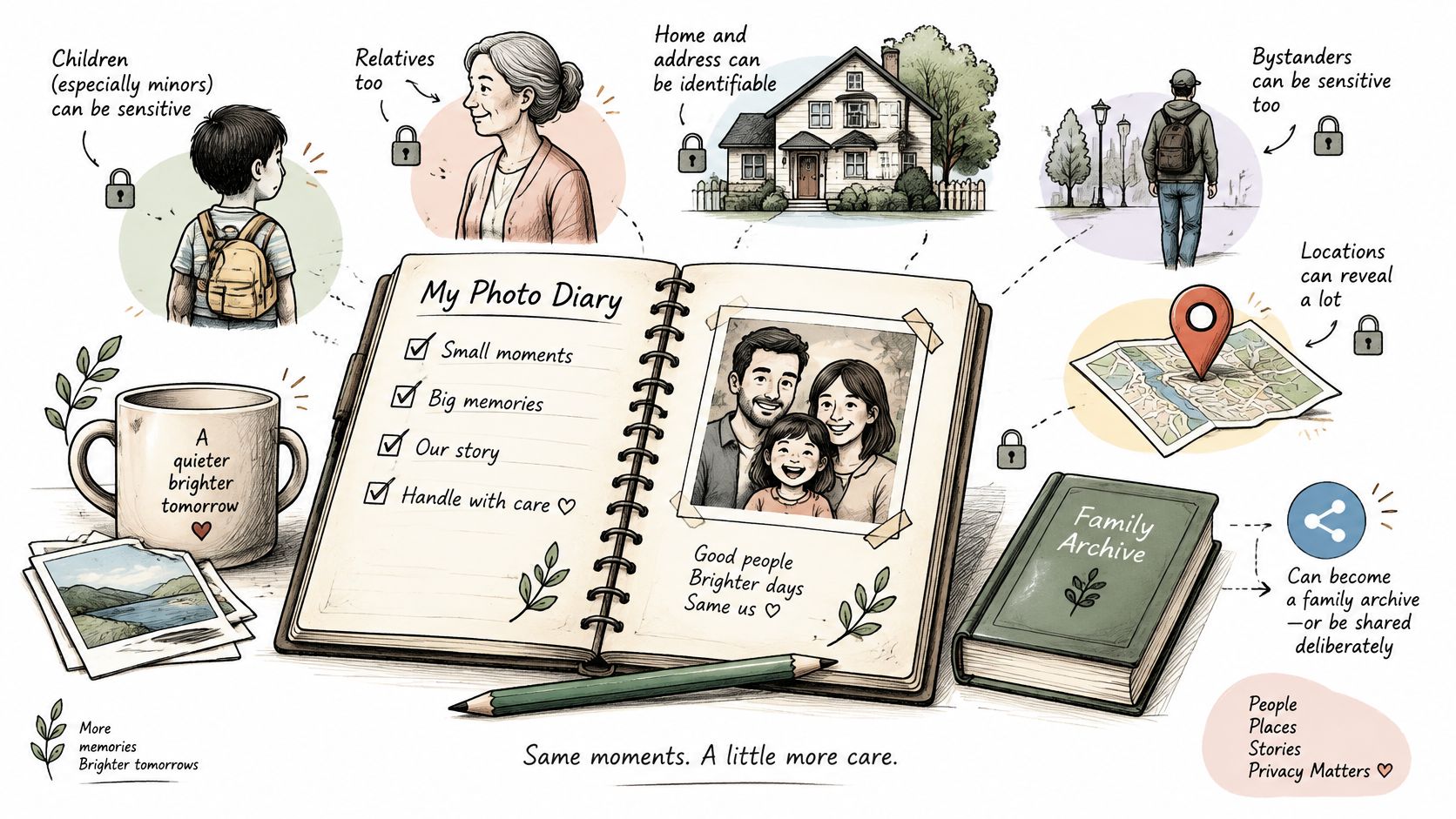
A photo album on a shelf has a door between it and the world, and you choose who walks through. A diary with photos rarely gets that door unless you build it yourself. Inside a single entry there can be children, relatives, bystanders, health details, a home exterior, and the streets you walk on a pattern. Each detail is harmless alone. Together they describe a life a stranger could follow.
Archivists treat privacy as a question decided before access, and the same order works at home. A 2025 discussion of image privacy in archives shows that even when copyright is cleared, privacy can still block responsible public access, and anonymization may be needed. Many people photograph everyday moments and milestones for preservation, and most of those frames were never meant for a crowd. Consent you had in the moment may not match what someone wants five years on.
A check before you record and before you share
- Keep it private by default. Open access is a decision you make later, once a specific audience exists.
- Ask consent before you record identifiable people, and note it in the people field so the answer survives alongside the photo.
- Split the files. Originals stay in the archive; shareable copies are a separate set you can revoke without touching the record.
- Strip location data before anything leaves your device. A holiday photo can reveal a home address.
- Reread older entries every year or two. Audience and comfort both change, and a share that felt fine can stop feeling fine.
- Write instructions for access or deletion, so family members are following a decision rather than guessing at one.
Check what an app does with personal data instead of assuming it stays put. Life Calendar, for instance, does not sell, trade, or transfer personally identifiable information to outside parties unless users are given advance notice. When a handful of people should see one week and nobody else, learn how password protected links work and send a locked copy rather than a public page.
Ask two questions of every entry. Who should see this memory later, and can I change that decision? The privacy choices you make today are part of the archive itself, because they decide who gets to understand a memory in thirty years and whether anyone does. For many photos the right audience is one person, or no one.
Set Up Your Photo Diary and Start This Week
A diary with photos survives when the routine is smaller than your enthusiasm. Do the same short pass on a day you already keep, and stop when that week's keepers are filed.
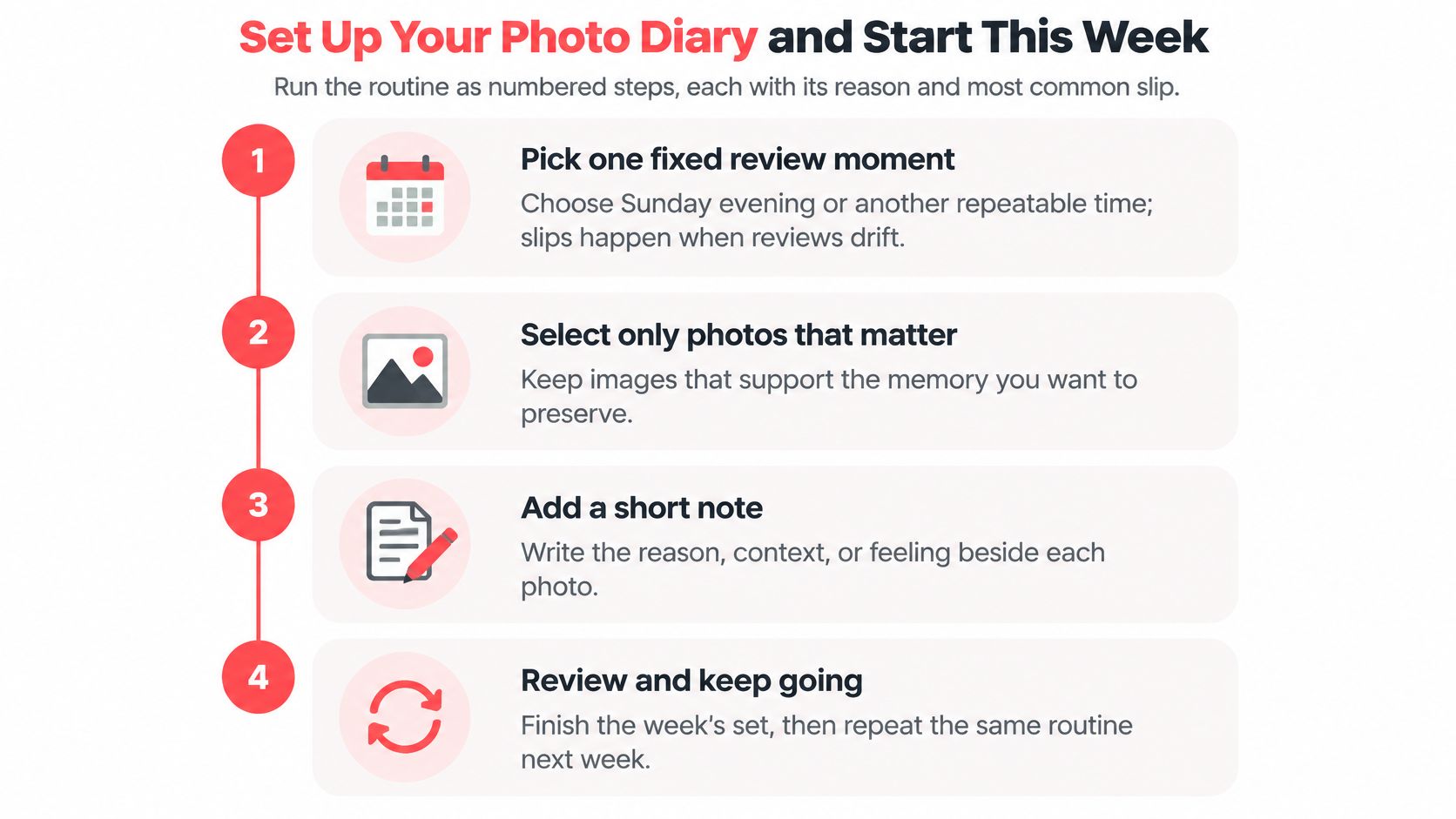
The weekly pass
- Pick one fixed review moment, such as Sunday evening. A repeating slot is easier to protect than a vague plan to "catch up." The slip is letting the review drift until the week is a blur.
- Select only photos that carry a memory, not every shot on the phone. Three strong frames beat thirty near-duplicates. The slip is treating the camera roll as the diary.
- Check the capture date and correct it if the phone recorded the upload day. Timezone matters when you traveled. The slip is trusting the gallery sort.
- Write two or three sentences on what happened, who was there, and how it felt, inside the same week. Detail fades after that. The slip is waiting for a free afternoon that never comes.
- Add one or two tags, such as travel or family. Tags are how you filter a decade later. The slip is a beautiful note you can't find.
- Attach the entry to its weekly or dated page so it sits in order with the rest of the year. The slip is leaving the picture in a folder named "misc."
- Keep the original and export a separate copy for anything you might share. Edits belong on the copy. The slip is cropping the only file you have.
A finished entry is small on purpose. One photo, a short note, a date, and a place on one page.
Your first session
Choose a layout from the comparison above. Pull last month's photos, not your whole library. Write three entries using the fields, including consent where someone else is recognizable. Then put the review on the calendar for the same time next week.
Life Calendar uses your birthday to draw a grid of your life in weeks, each week a box. You can see every week in one grid, or switch to a yearly grid that breaks those weeks into years. Some people keep it as a personal diary. Others use it to hold past and future in the same view. If you'd rather start on paper, print each photo, write the entry beside it, and keep the same fields. Either way, a clear walk-through of how to journal helps when the blank page is the thing slowing you down.
Every photo still gets a date, a reason, and a note about what it meant. Do that for three pictures this week and the archive has started.
Keeping Photos Findable for Decades
Storage space isn't the hard part. A file you can't open, date, or explain is already lost. Choose a format for the job, then leave an untouched original beside any copy you view or share.
| Format | Role in a photo diary | Practical note |
|---|---|---|
| TIFF | Preservation original | Preferred for long-term archiving; files are large |
| JPEG 2000 | Archival alternative | Acceptable for preservation use; less widely supported |
| PNG | Lossless graphics and screenshots | Acceptable; less common for camera photos |
| JPEG/JFIF | Everyday viewing copy | Small and practical; repeated re-exporting degrades quality |
Rules that keep a file readable
Keep the highest resolution you have. Don't rescale or interpolate to "tidy" an archival copy. Retain the highest bit depth, and keep the embedded color profile or write the color space next to the entry. Record capture date and timezone in the fields, not only inside the camera data, so a move between apps doesn't strand the week.
Edit on copies. A JPEG that you export, crop, and export again gets worse each time. The phone original, or a TIFF preservation copy, stays closed.
Phones save by default, so an archive grows without a decision. Personal digital heritage includes files you meant to keep and files that never got deleted. Preservation work has tested documentation methods on collections ranging from 800 mementos to 17,000 photos, which is a useful reminder that even a home archive needs a plan, as described in this overview of personal digital heritage. Practice managed forgetting. Choose the keepers, and write one sentence for each. The rest can stay in the camera roll without entering the diary.
Add a title, a creator name, and a subject so a search still works when the filename is IMG_4392. Once a year, open a sample of old files and confirm they still display. Export the diary to a portable format so it survives a new phone or a retired app. If you're also holding prints from before any of this was digital, how to preserve aging family photos covers the paper side without mixing those scans into your working JPEGs.
Life Calendar places notes, images, mood, and tags on a week-by-week view of your life, so a diary with photos stays tied to real dates instead of a camera roll. You can keep ordinary weeks and bigger moments in the same grid, and return to them when you want the context back. Visit Life Calendar and start with the week you're in now.